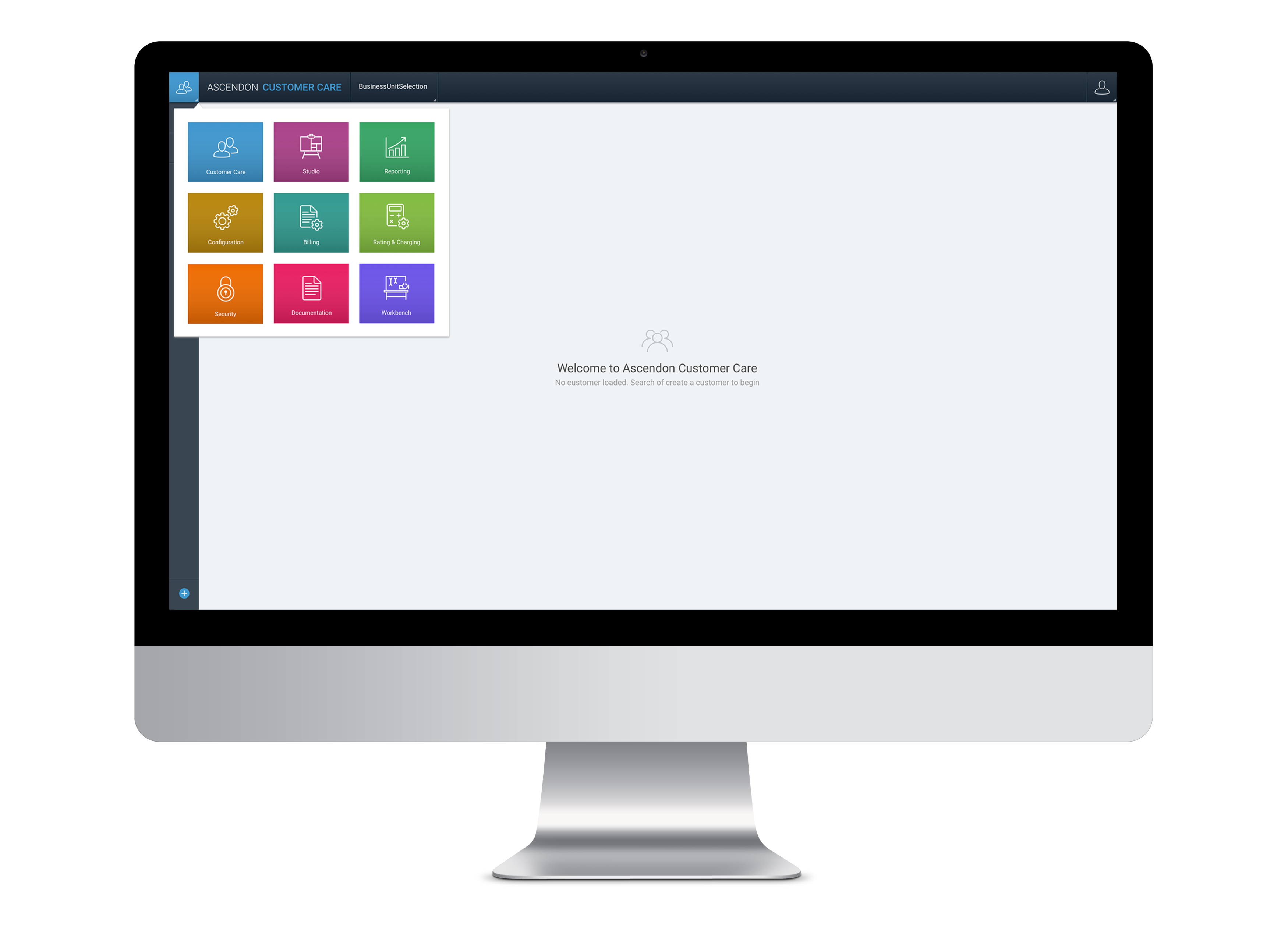
Screenshot – Ascendon Platform

Ascendon – Subscription & Billing
Porting Legacy Complexity: The Ascendon Transformation
Executive Summary & Key Results
As a UX Designer on the Ascendon project, I worked at the intersection of enterprise complexity and user efficiency. My role was to transform a heavy legacy system into a streamlined digital business solution that allowed admins to manage global product catalogs and customer care reps to provide seamless support. By focusing on the structural integrity of the “porting” process, I helped build a product that prioritized quality-of-life improvements for power users while supporting CSG’s rapid move into the SaaS media market.
The Beginning
I came onboard when things were already in flight and there were six designers working on different modules within Ascendon. During my first few months there, I was mostly listening like a fly on the wall in a lot of meetings like planning, demos, design hand-off, dev hand-off, qa hand-off and more. It was challenging for me to catch up and get up to speed with the team as there were a lot of meetings and a lot of technical/business jargon used across those meetings and a lot of gaps I had in product knowledge.
By talking to some helpful team members who had a history with the company, I came across a tonne of useful resources like product training videos from the CSG university, articles on the company’s intranet, and help documentation of the legacy system. This helped me fill my gaps on the product and domain knowledge.
The Ramp Up
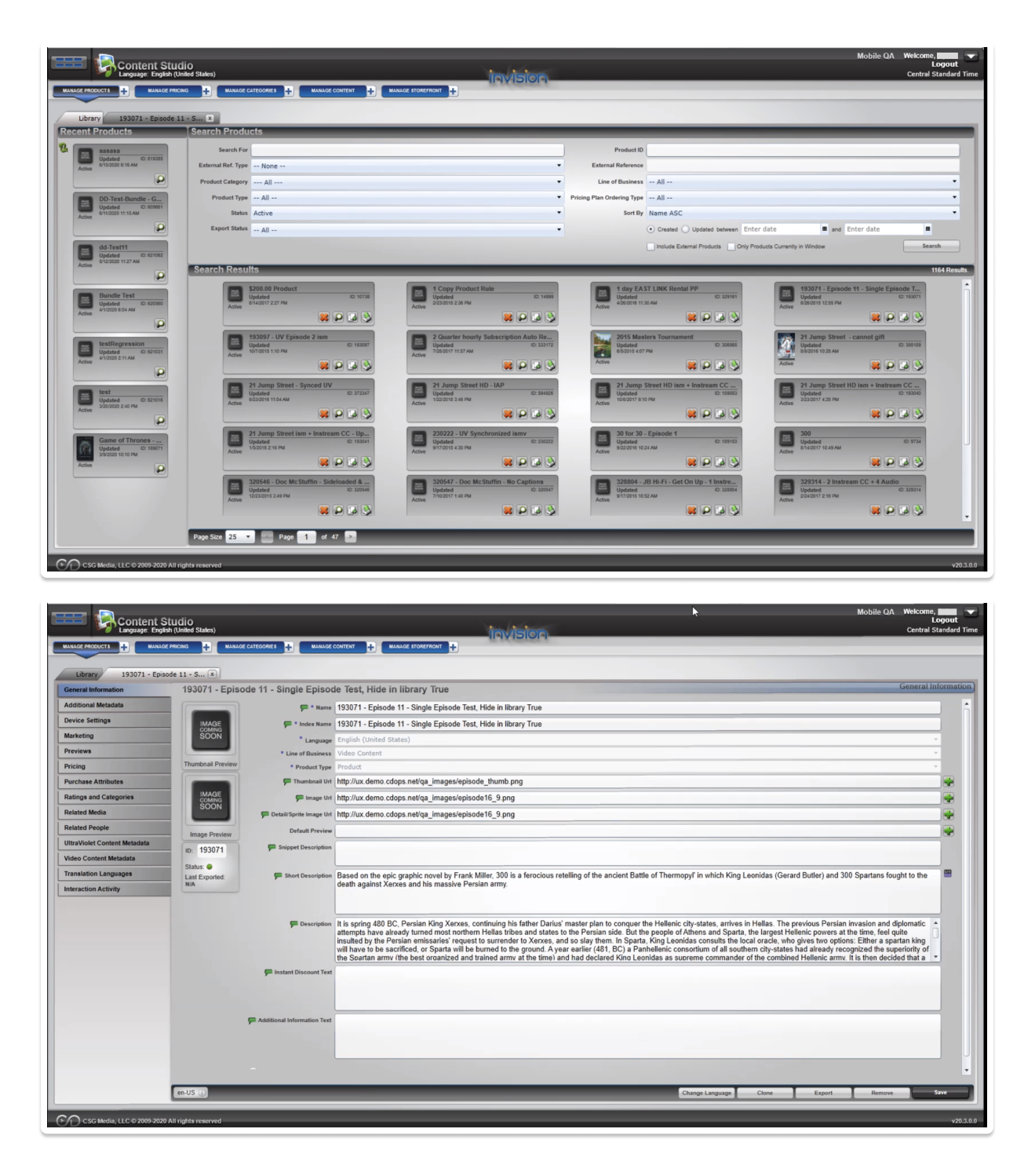
Three months in, I started helping our UX lead and another designer with the port of the catalog module called Studio from the legacy product. The UX lead and the other designer were already talking to our client services team, who helped onboard and maintain the catalog for our customers on legacy systems.
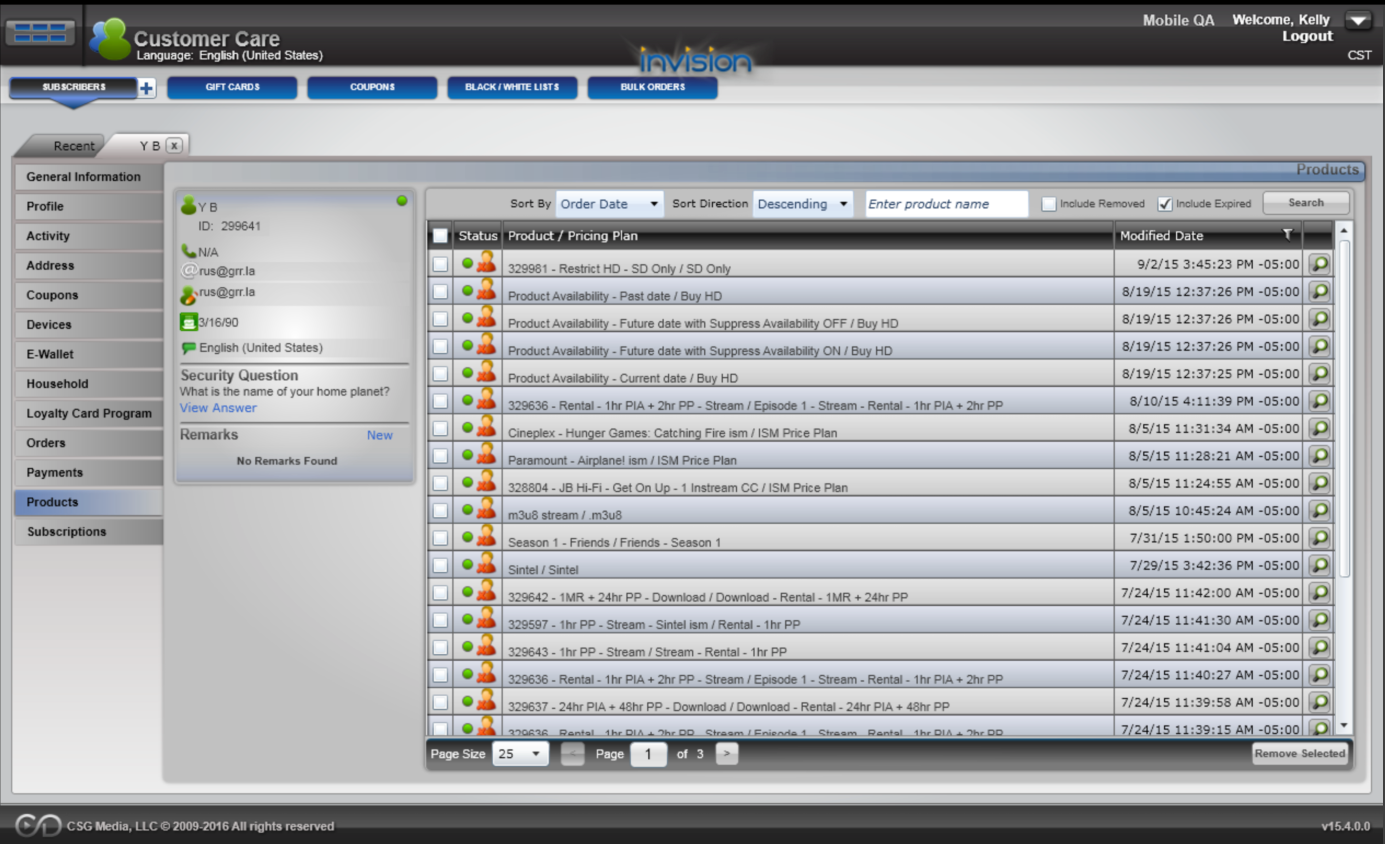
I had a hard time following responses from our sessions with the client services team because there was a lot of mention of the legacy system. Right off the bat, I knew I had to dive into our legacy product to learn how it works. So, I started clicking through the catalog component of the legacy system and asked for walkthroughs from our product owners. I then went back and listened to the recordings of the sessions as it helped me understand what I had seen and clicked through in the legacy system.
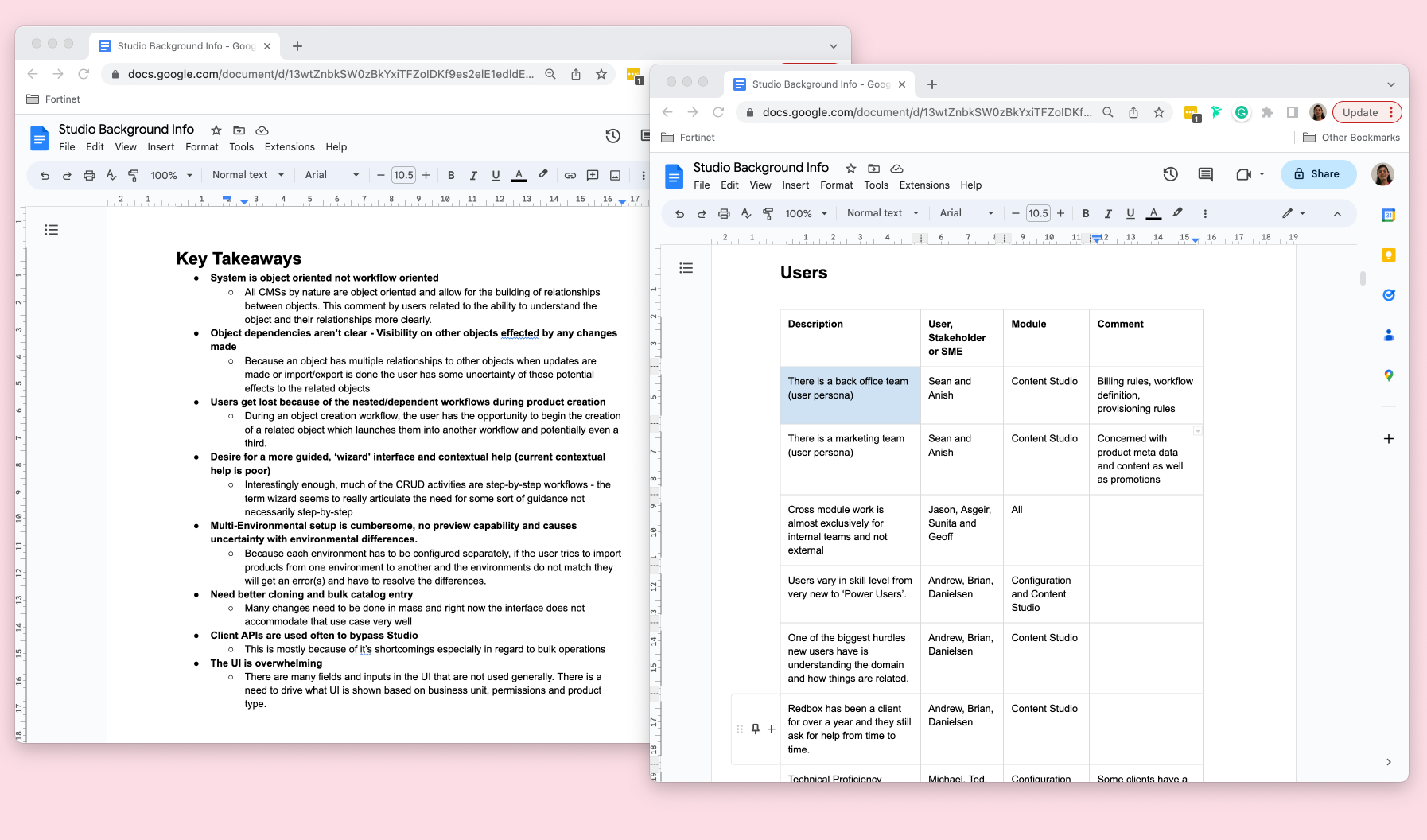
Key themes from research –
- User’s get lost because of the nested/dependent workflows during product creation.
- There was a strong desire for more guided ”wizard-like” flow. Interestingly enough, most of the CRUD activities were already step-by-step workflows in the legacy system. The term wizard seems to really articulate the need for some sort of guidance not necessarily step-by-step
Amongst three of us designers (UX lead, another designer and myself) we worked on separate parts of the catalog such as Pricing Plans, Product, Offers respectively and met daily to sync, ideate, critique each other’s work and make sure the ultimate experience is seamless for the user.
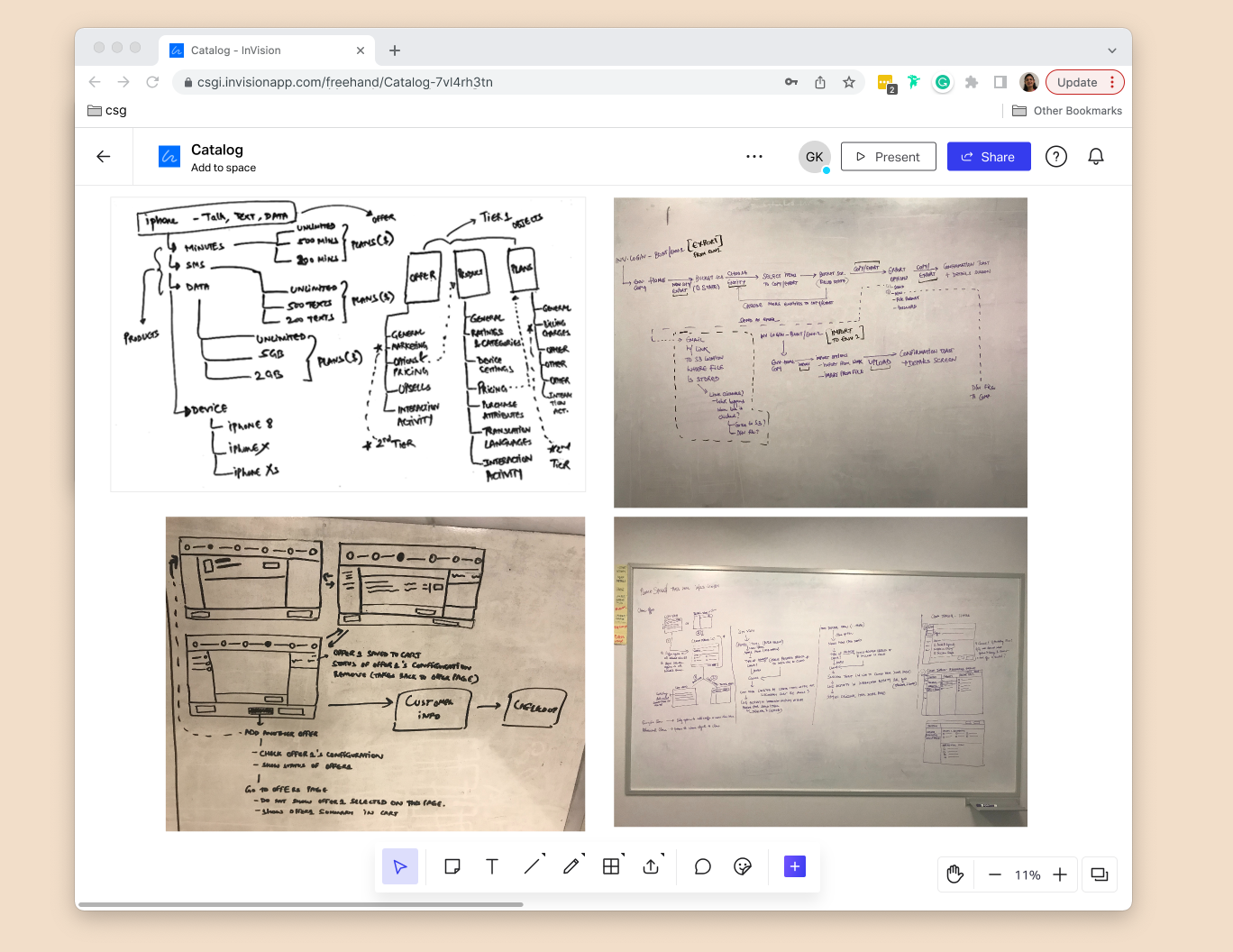
We had numerous ideation sessions.
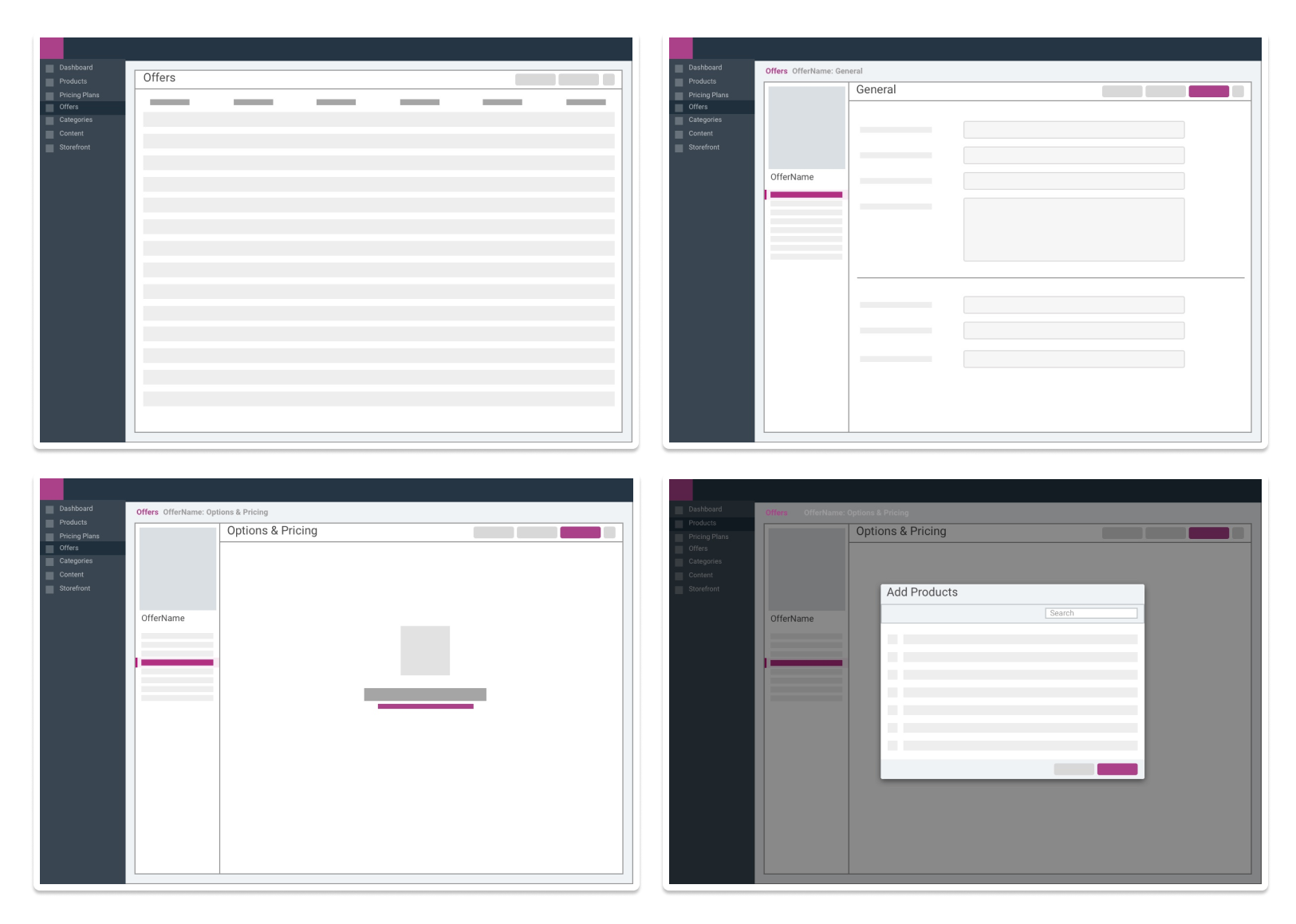
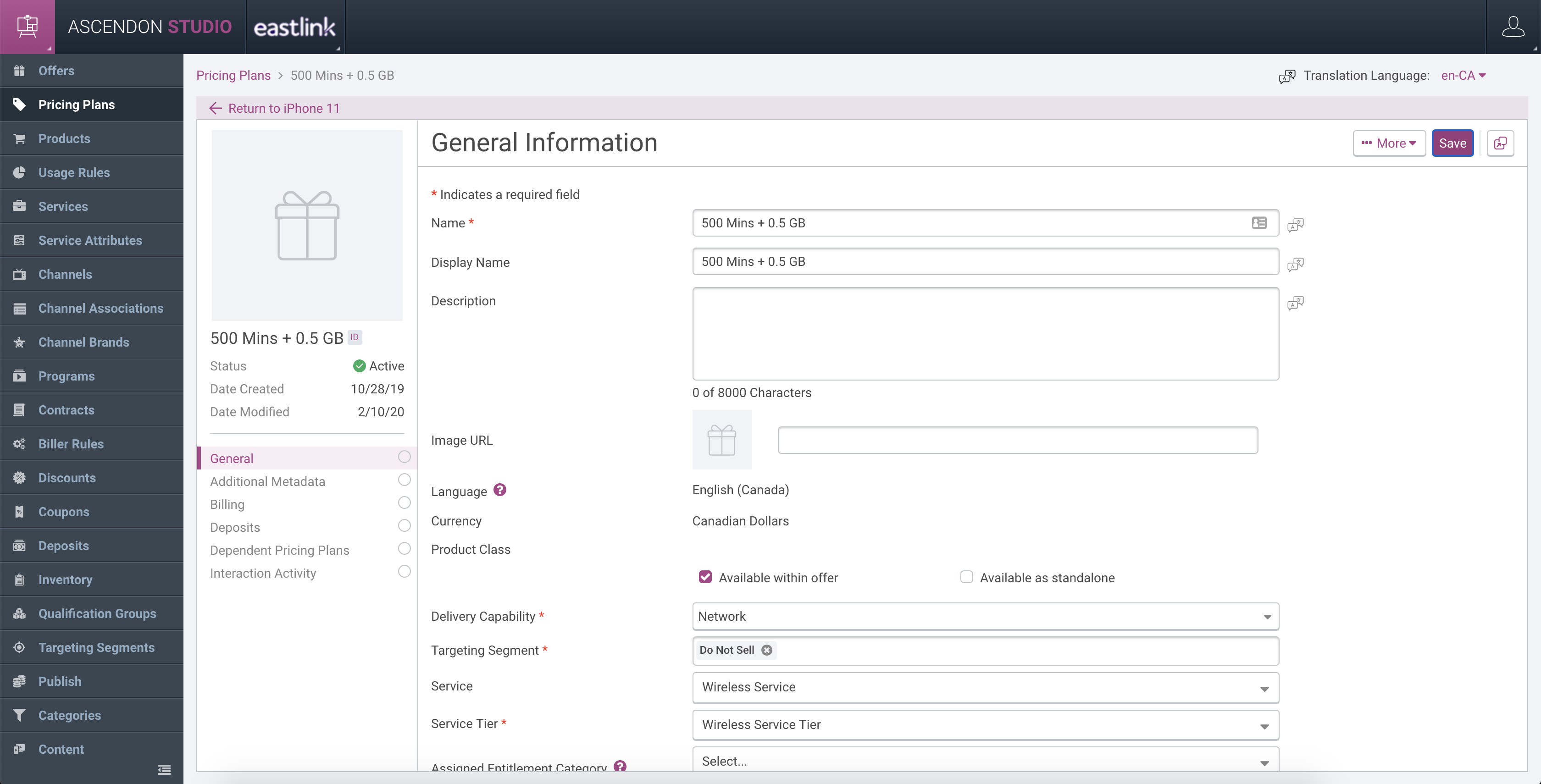
Based on feedback from all our ideation sessions, we went back and created lo-fi’s for our parts. I created for our “Offers” entity.
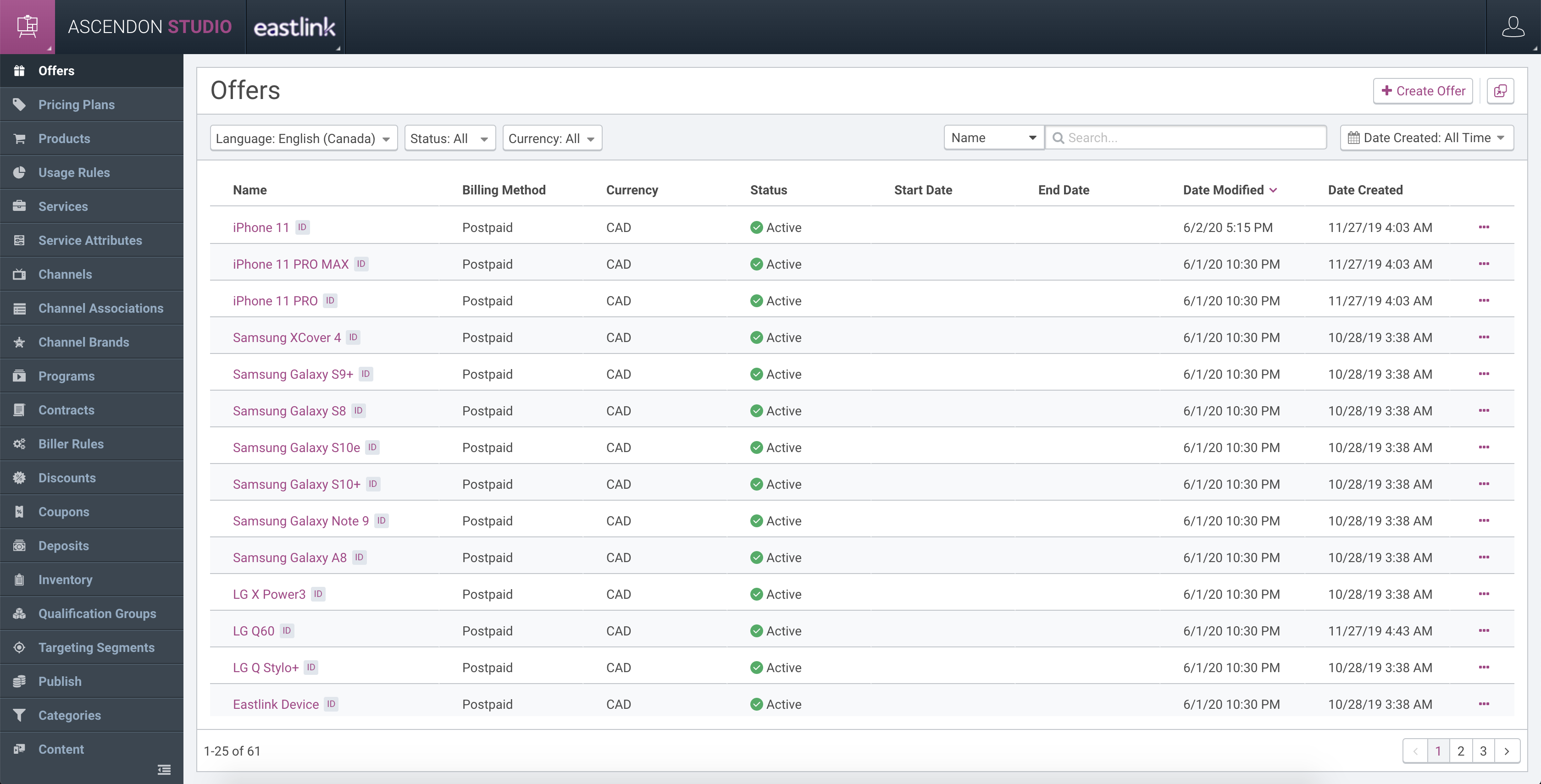
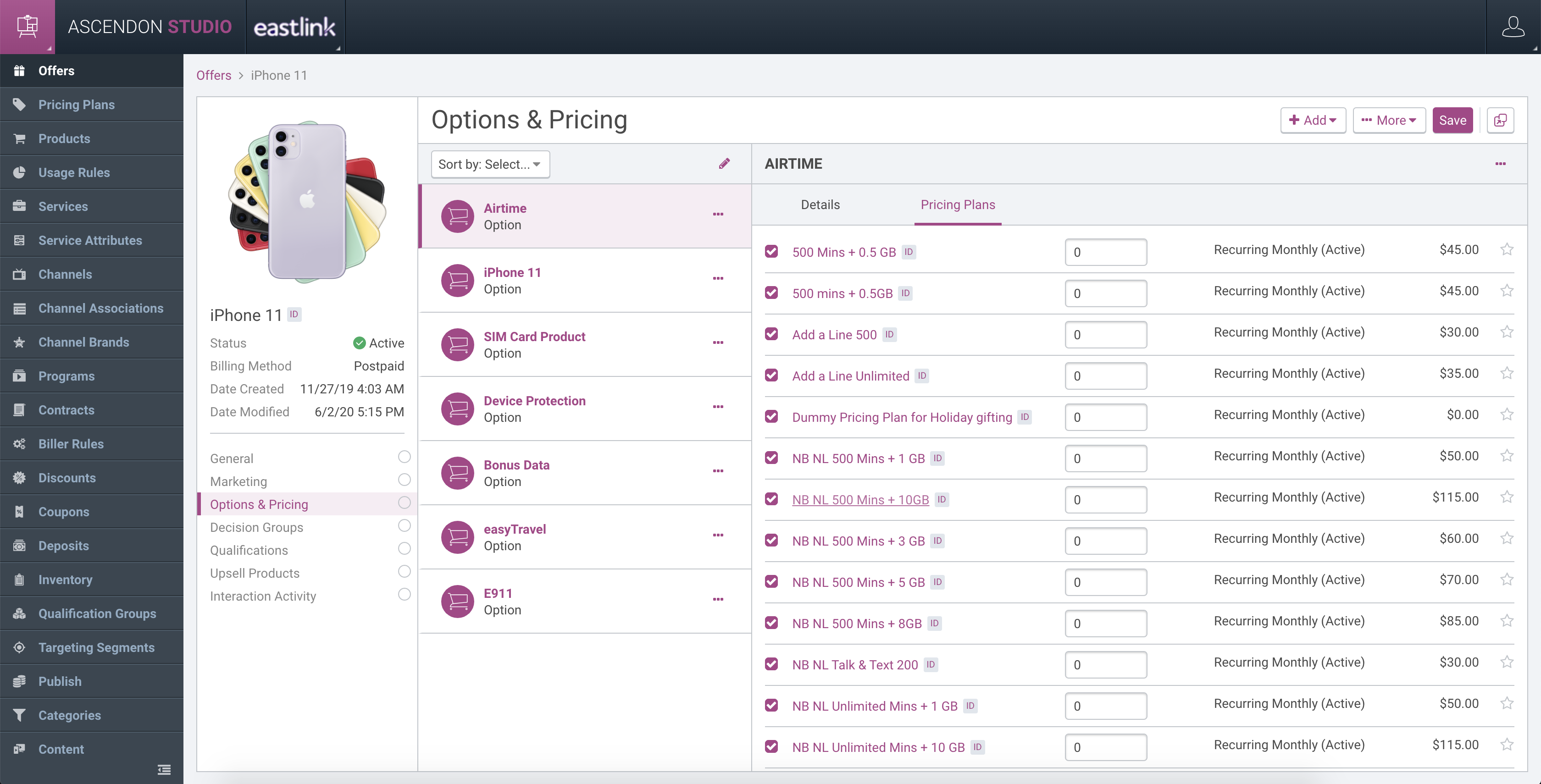
I then presented this in our weekly touchpoint to our product and engineering team. Based on the feedback, I moved on to putting together hi fi’s
The Progress
Fast forward to my second year at CSG, and I was now primarily designing for the customer care component, actively pushing for user research and feedback.
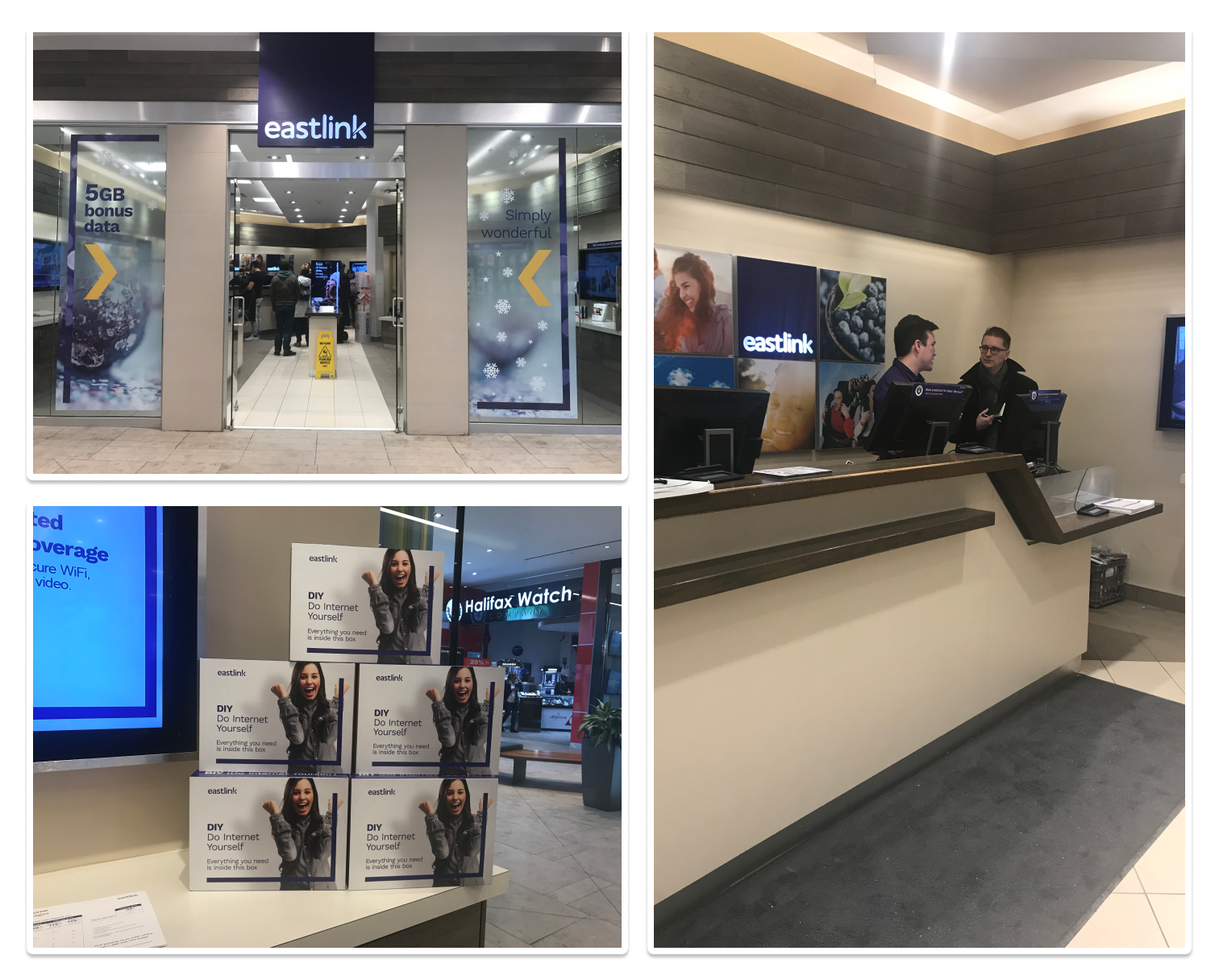
I, along with our UX Lead, went to the customer’s site for contextual inquiry as we started putting together pieces of our customer care platform. We spent a total of two days at the customer’s site, one and a half days at the customer care center, and half a day at their retail store where a lot of orders that started through the customer care portal were completed.
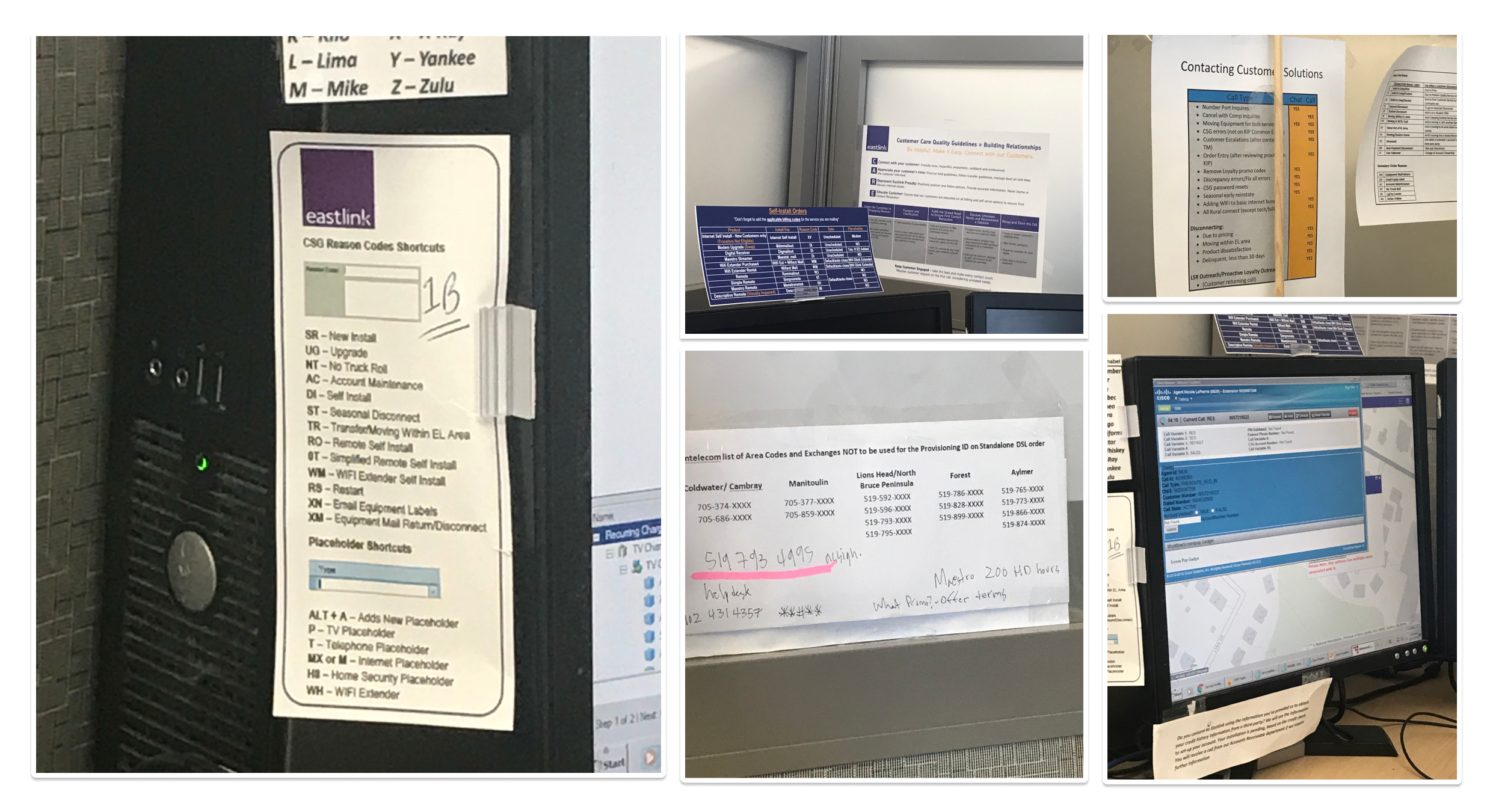
CSR’s had printouts of codes and other helpful information on their desk, either pinned to their desktop or somewhere in the cubicle.
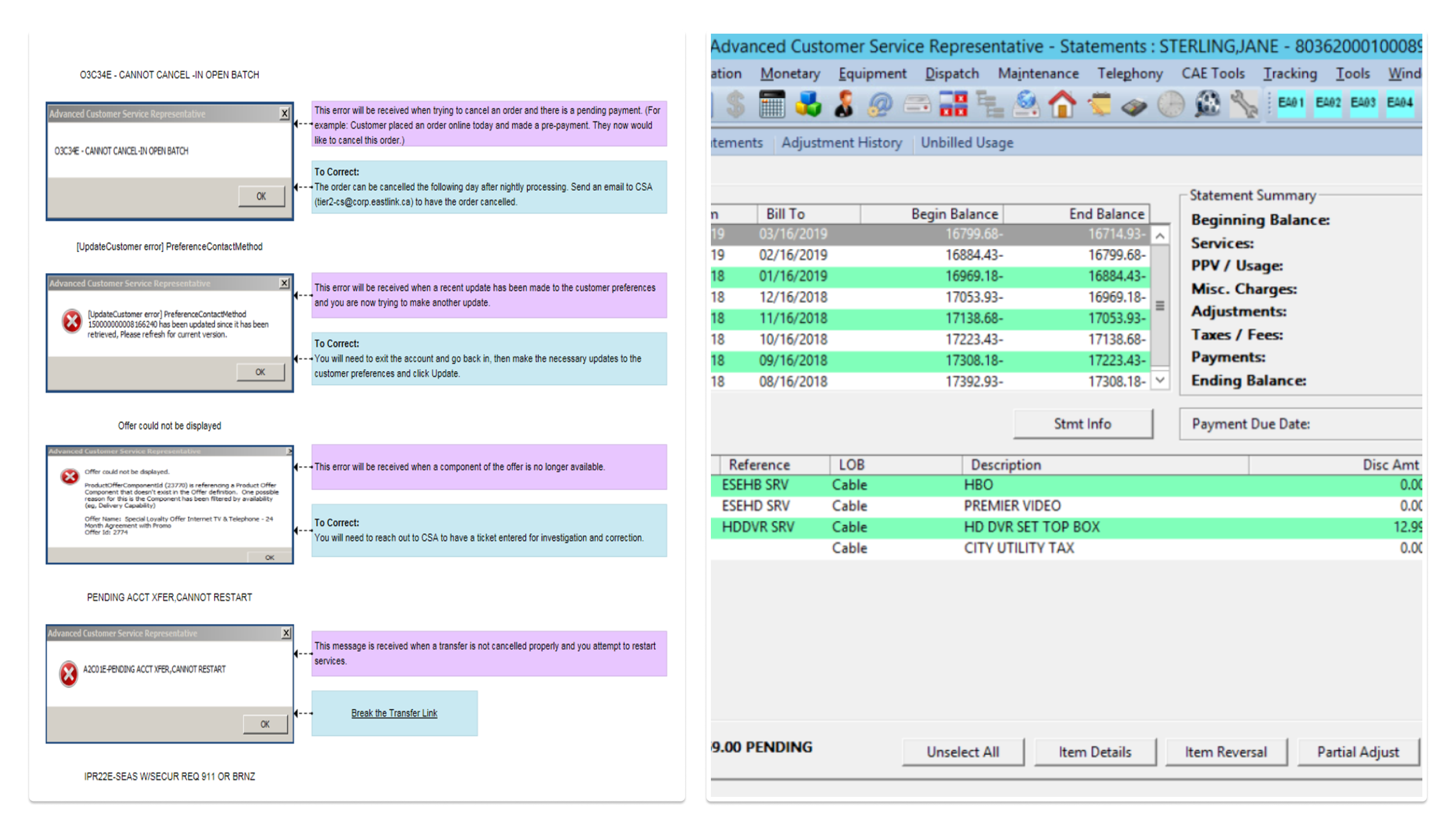
We came back and started synthesizing our observations from the onsite research.
Key theme from our on site visit at the customer’s site –
Customer Service Rep’s (CSR’s) have been given a basic set of tools to complete their job but went out and fashioned a whole new set of complementary tools. One estimation was that a small part of CSR’s job is training; everything else is learned. What are the product deficiencies that were so painful they necessitated a workaround solution? Do the workarounds truly work, or do they create more work?
Some parts of the customer care module were already developed/ported from the legacy system mostly leveraging the organizational research. This visit gave us an opportunity to influence the roadmap items like primary navigation and the customer dashboard.
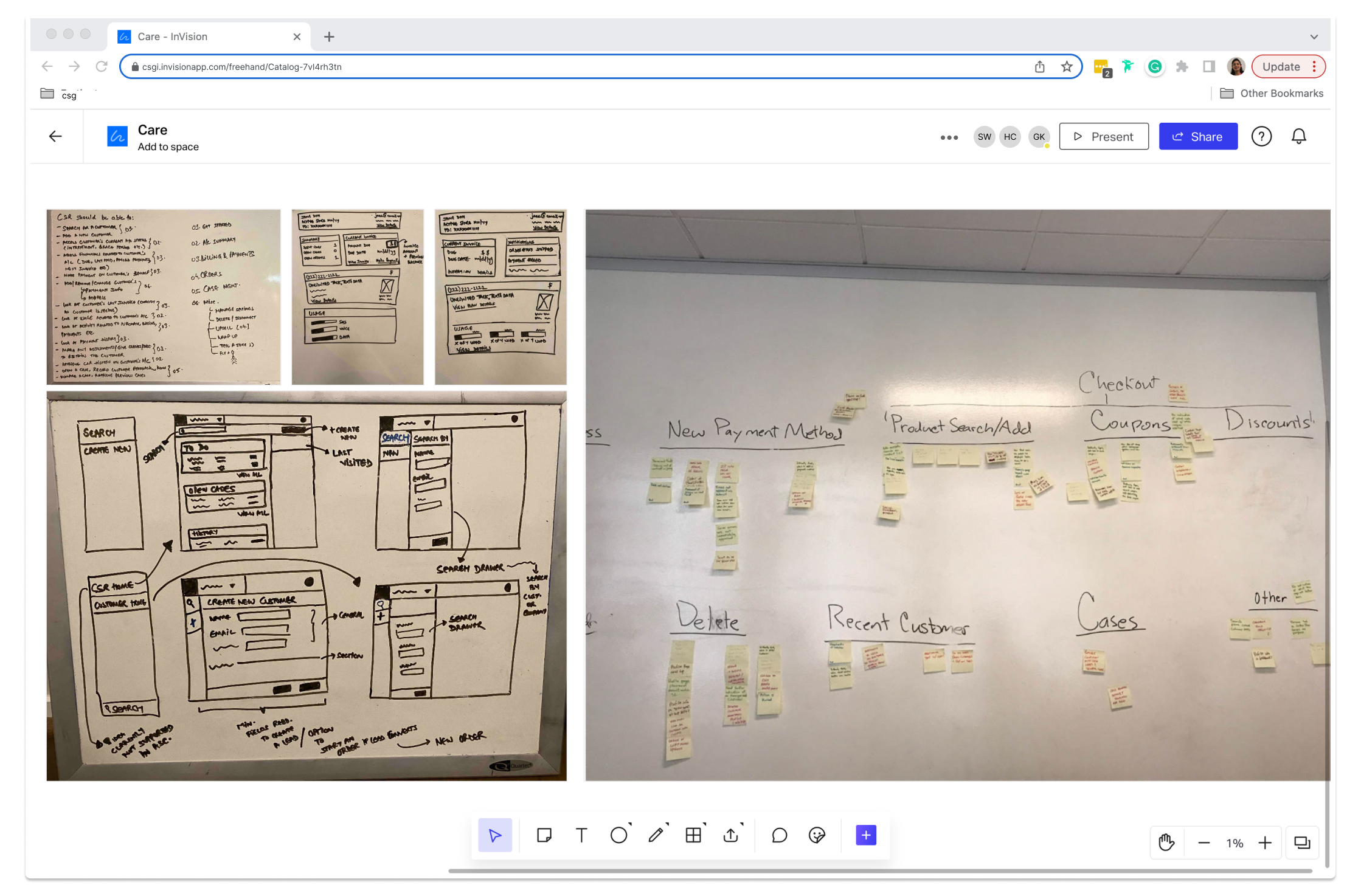
One of the challenges was to keep in mind what existing api’s supported. It was very important to involve the solution and development team through our brainstorming process to get their ideas and inputs keeping in mind existing api’s.
To tackle the problem of users feeling lost, we started simplifying the navigation structure. “We prioritized the top 5 most frequently answered questions, guided when, where, and how they surfaced on the first screen that a CSR interacts with when they pull a customer account to address their concern. This started shaping the secondary navigation. The top reason for a customer to call a CSR is to discuss, dispute, or inquire about their bill. Commonly, it is merely due to a misunderstanding because of poor communication on the company’s part. The Care dashboard allows the customer and the CSR to see the same bill, solving the empathy problem. It enables the CSR to easily walk through the customer’s bill with them, explaining exactly why they were charged what they were charged.
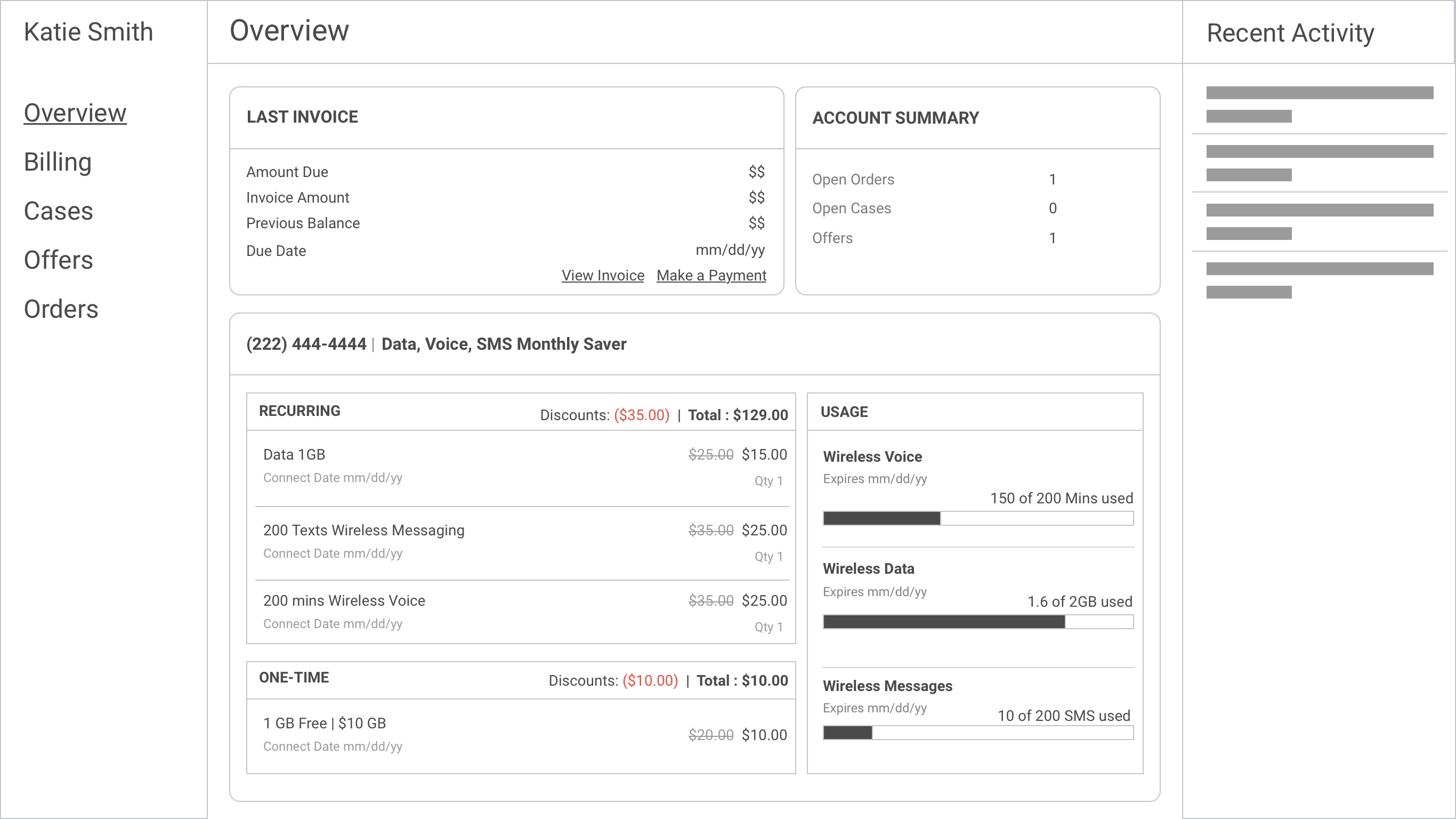
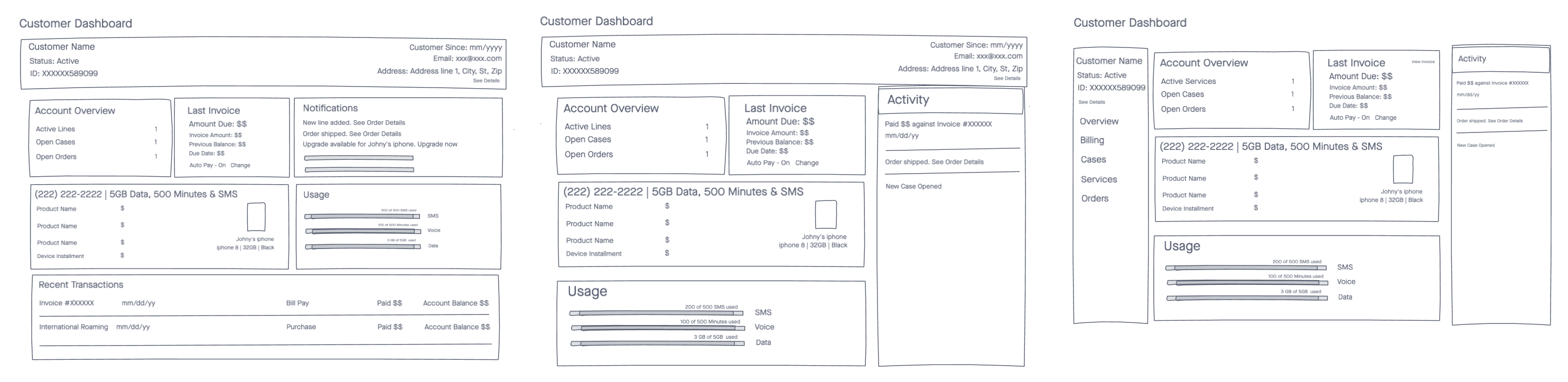
I did a pass of usability testing with about three users by putting this in front of CSR’s and asking them to think aloud. The primary goal was to test the layout, language, and organization of the new dashboard.
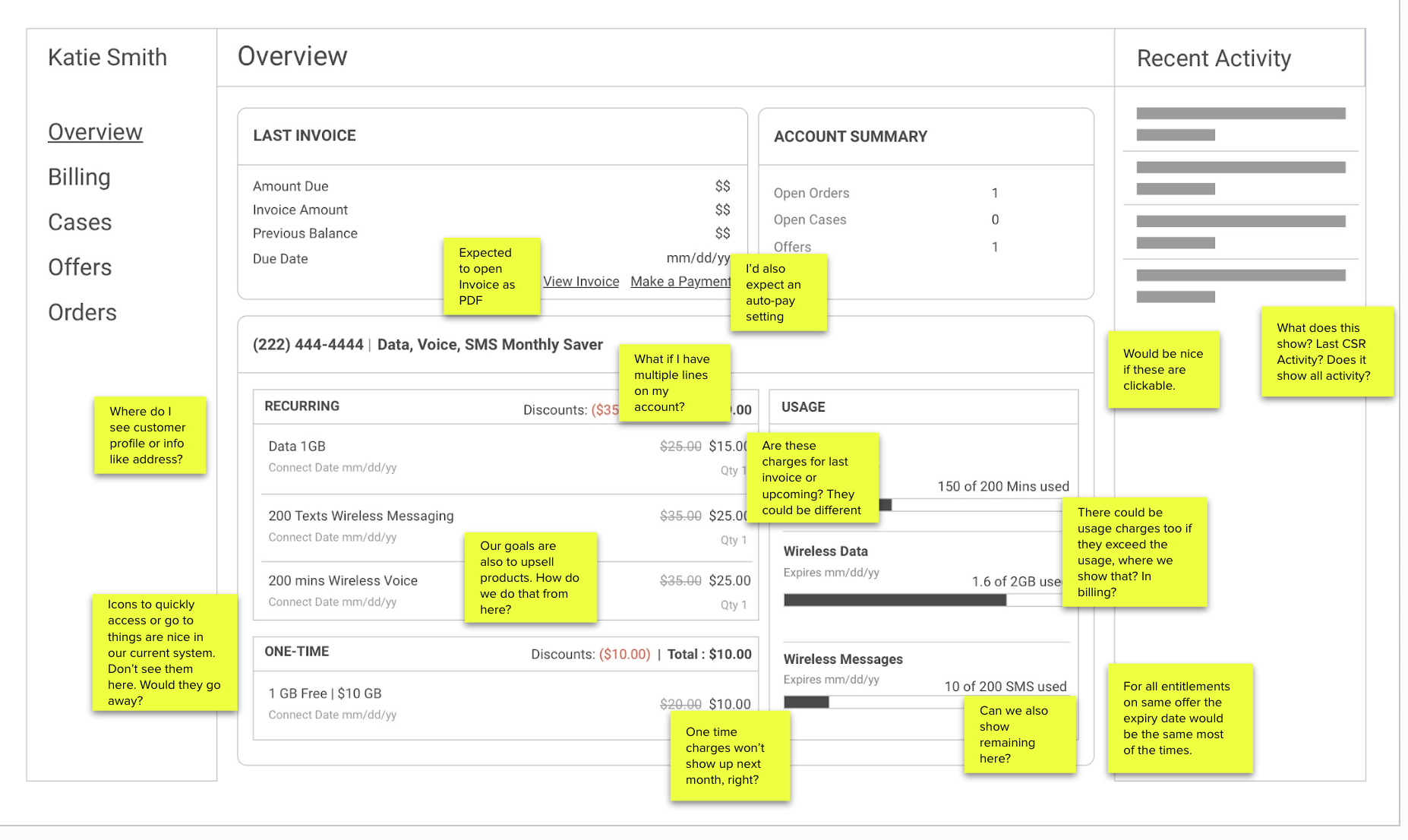
I revised mockups and did another pass of testing internally before moving to hi-fi’s.
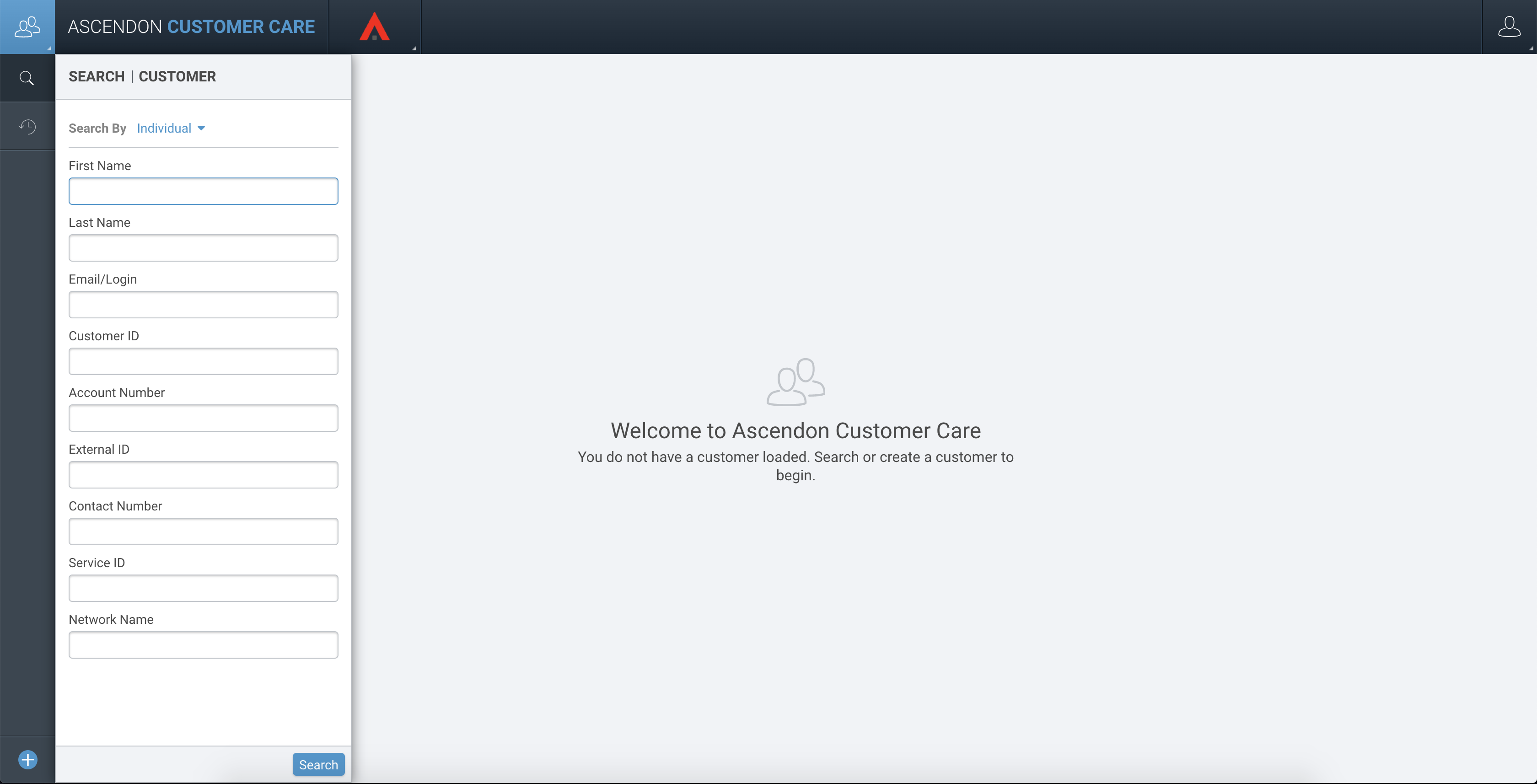
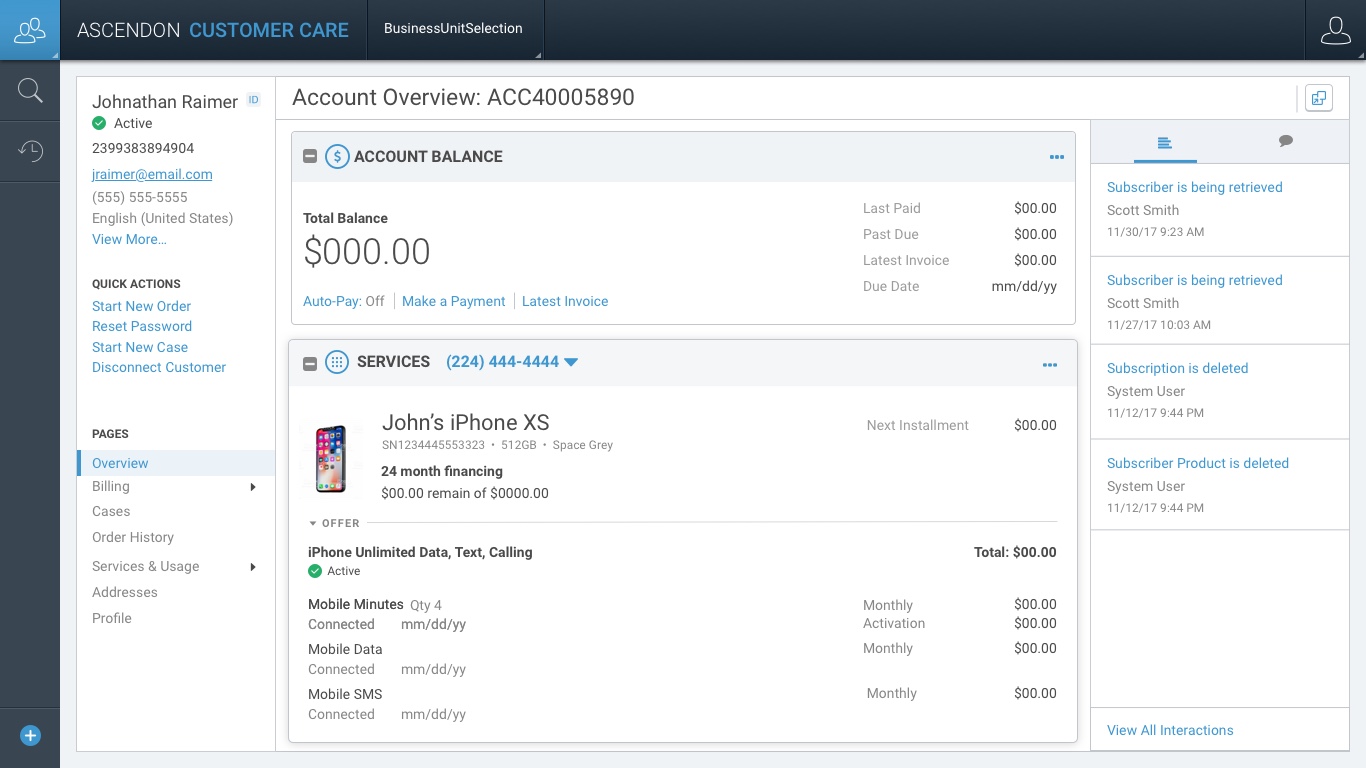
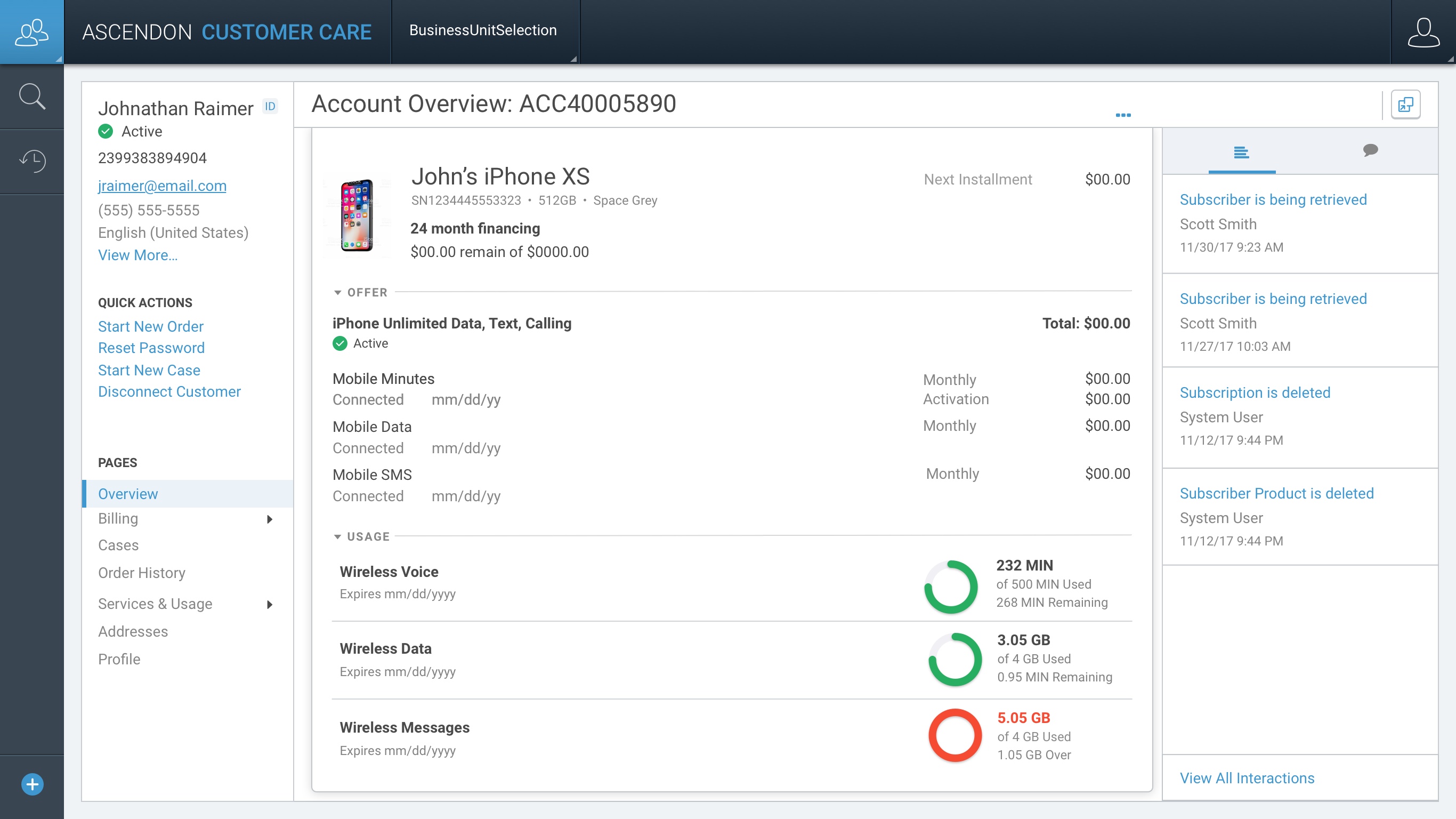
This was a huge improvement from the legacy system, not just improving the UI but also the overall experience and quality of life of our CSR’s by keeping things like frequently used actions, customer profile info, and adding new things like a secondary persistent navigation that helps users know where they are in the system always, showing the same invoice as the customer copy to avoid confusion, activity to track the last CSR’s interaction on the customer account, and more.