Migrated CSG’s catalog-management and customer-care modules from an aging Silverlight system into Ascendon, the company’s modern SaaS subscription platform — both modules ported to 100% functional parity — while redesigning the workflows that had made the legacy system slow, nested, and reliant on hand-built workarounds.

Ascendon – Porting Legacy Complexity to SaaS
Customer Care, Subscription & Billing · CSG · UX/UI Designer
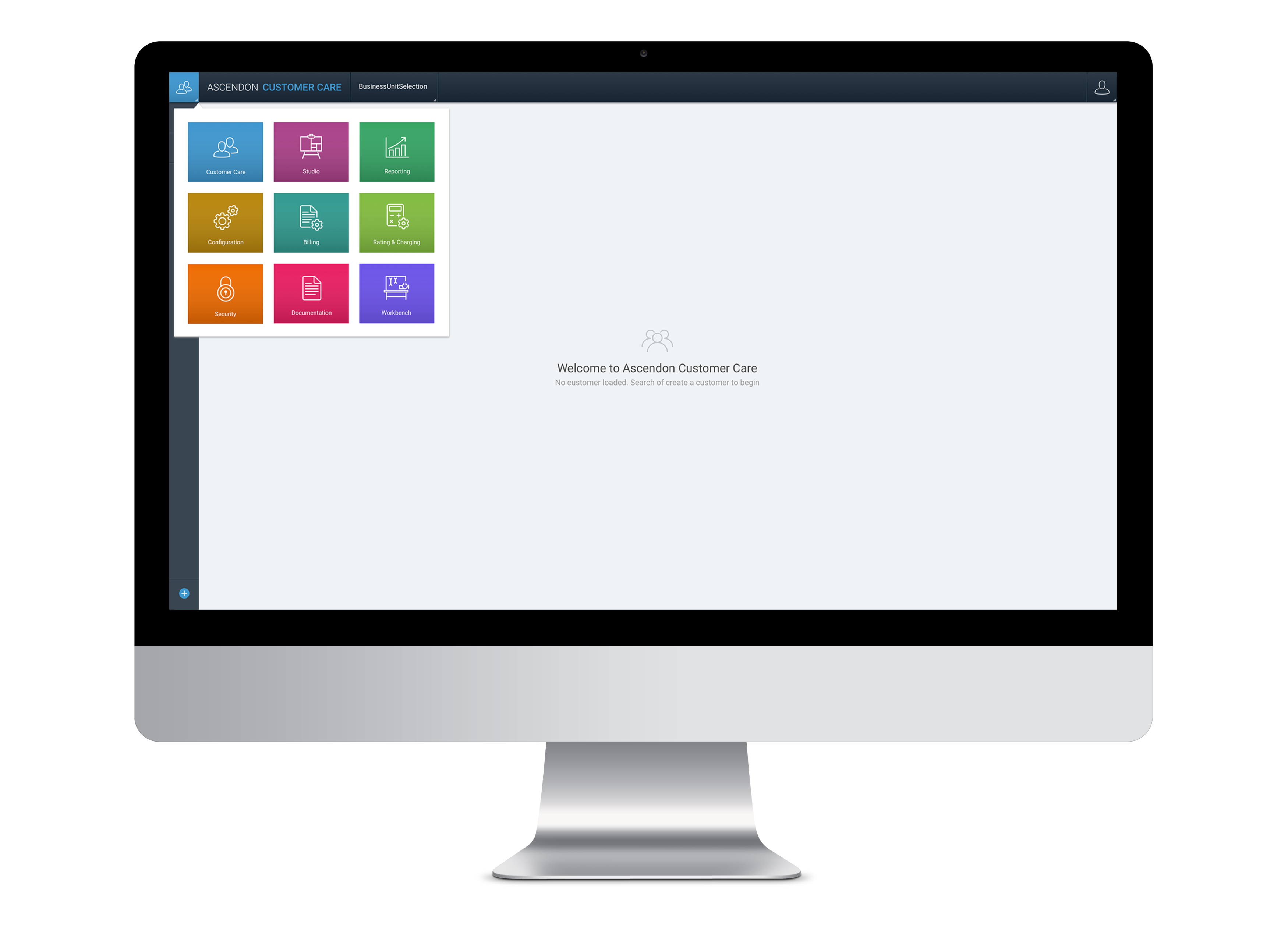
Screenshot - Ascendon Platform
Overview
Ascendon is CSG’s cloud subscription, billing, and monetization platform. Building it as a modern SaaS product meant lifting years of deeply interdependent functionality from a legacy Silverlight system, without losing the capabilities enterprise customers depended on every day.
I joined as a UX Designer on a team of six, each owning different modules, and worked across the two hardest-to-port areas of the product:
- Studio (catalog management) — where admins build, structure, and price the products customers subscribe to.
- Customer Care — where customer-service reps (CSRs) resolve billing questions and manage accounts.
The result: both modules were fully ported from legacy to Ascendon — 100% of the functionality migrated — and the redesigns simplified the workflows that had made the legacy experience error-prone.
My Role
Both modules were team efforts under a UX Lead. Within that, here are some of the specific decisions and designs I drove:
- The Offers workflow in Studio. As one of two designers on the catalog port, I took the “Offers” entity from research synthesis through hi-fi — and made the call to treat the team’s “wizard” request as a need for orientation rather than more linear steps, then designed the breadcrumb-and-hierarchy structure that answered it.
- Pushing Customer Care toward real research. As one of three designers on the module, I argued for grounding it in fieldwork instead of assumptions — then co-ran the on-site contextual inquiry and conducted the usability testing that shaped the redesign.
- The same-bill dashboard insight. I designed the CSR dashboard around a single decision: put the customer’s exact invoice in front of the rep, turning bill disputes from a data problem into an empathy one.
Across both modules, the throughline was the same: take a nested, workaround-laden legacy experience and give power users structure, guidance, and a constant sense of where they are in the system.
Getting fluent in a hard domain
I came on mid-flight, into a product dense with billing and telecom jargon. Before I could design anything credible, I had to understand it.
I ran listening tours with product owners, product managers, and the client services teams who onboard and maintain customer catalogs. I worked through CSG University training videos, intranet articles, and legacy help docs. And I clicked through the legacy Silverlight system myself, then re-listened to recorded client sessions — which suddenly made sense once I’d seen the screens being described.
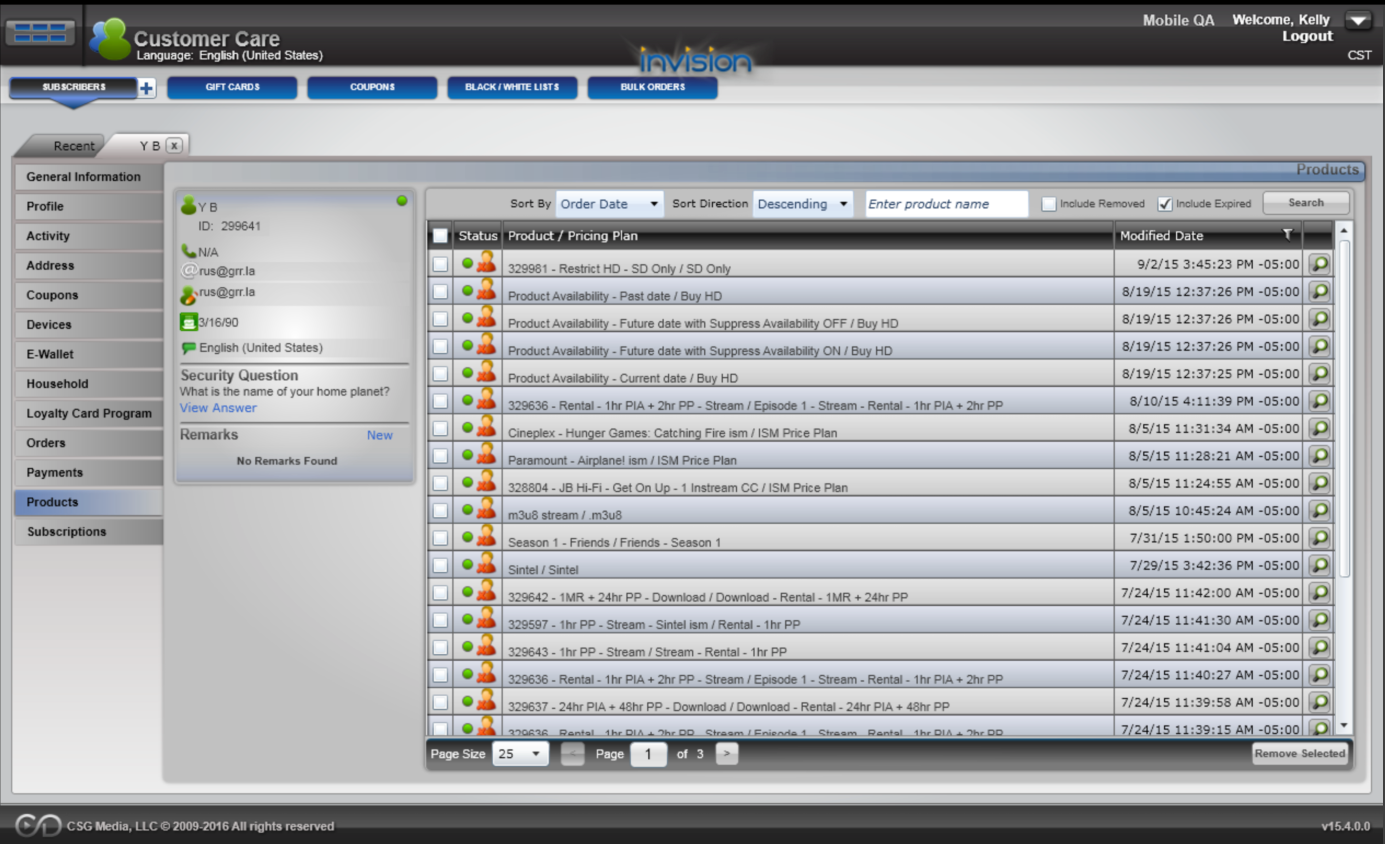
Customer Care module in the legacy Silverlight system
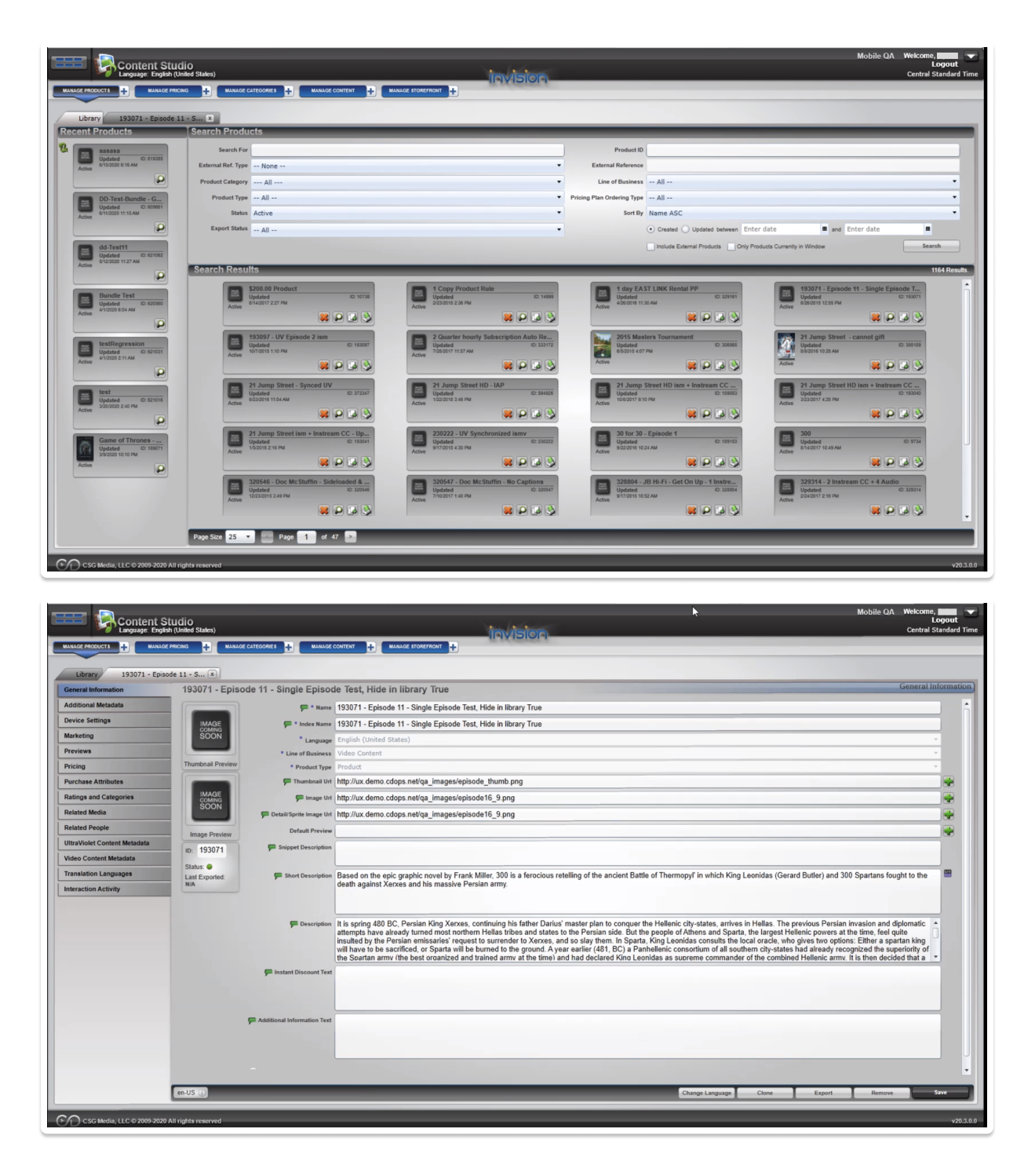
Studio module in the legacy Silverlight system
Part 1 — Studio: porting the catalog
The problem
Catalog management is where the business models its products, and in the legacy system, it was punishing. Research with the client-services team surfaced two clear themes:
- Users got lost in the nested, dependent workflows required to create a product.
- They asked for a “wizard-like” guided flow. Interestingly, most of these tasks were already step-by-step in the legacy system — so the real need wasn’t more steps. It was orientation: knowing where you are, what’s required, and how to get back.
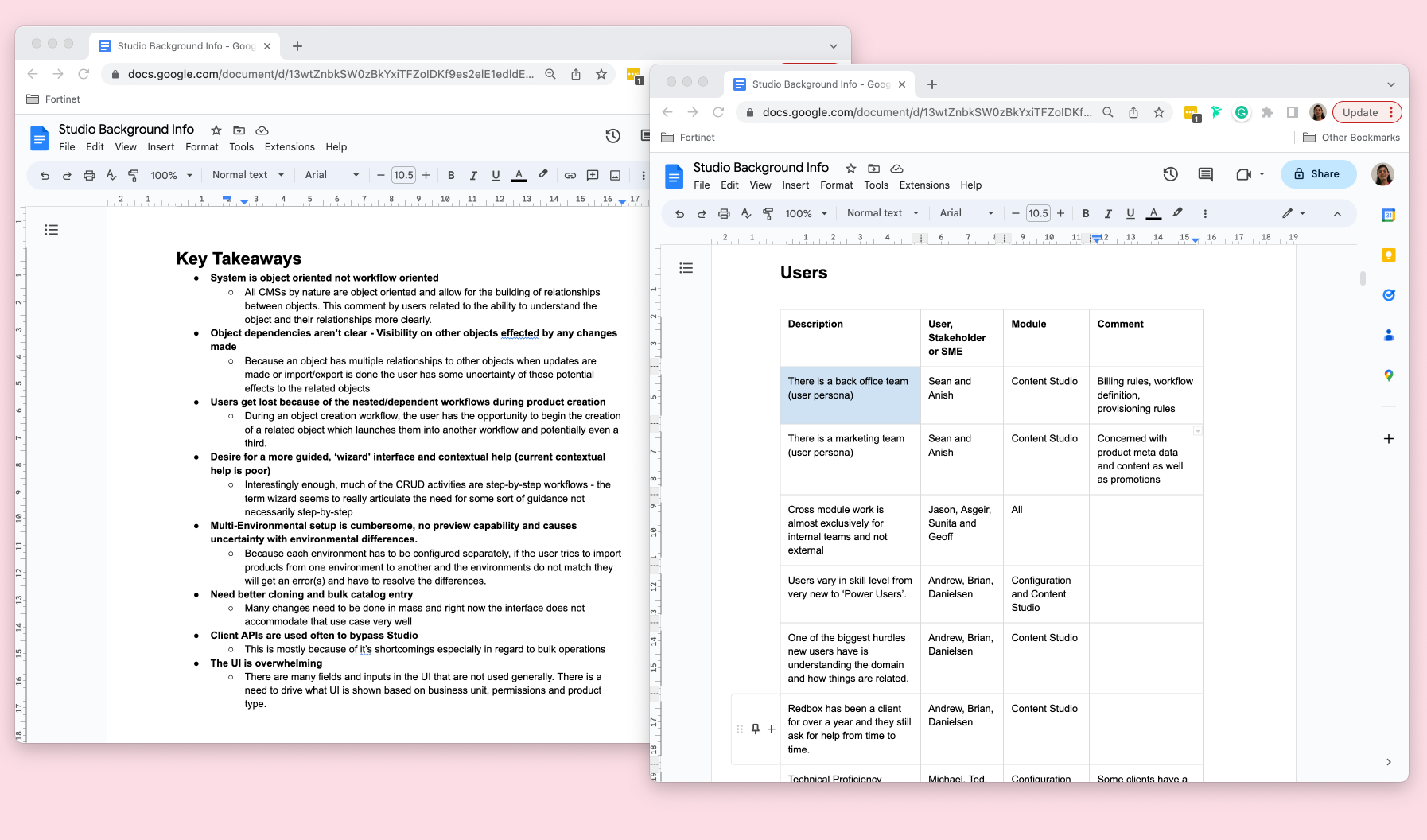
That reframe — “wizard” meant guidance, not linearity — is what shaped my approach to Offers.
Designing the Offers workflow
Working from our shared ideation sessions, I created block-frames for the Offers entity focused on making the structure legible: clear hierarchy, a persistent sense of place, and a breadcrumb path so users could drill into pricing detail and find their way back without losing context.
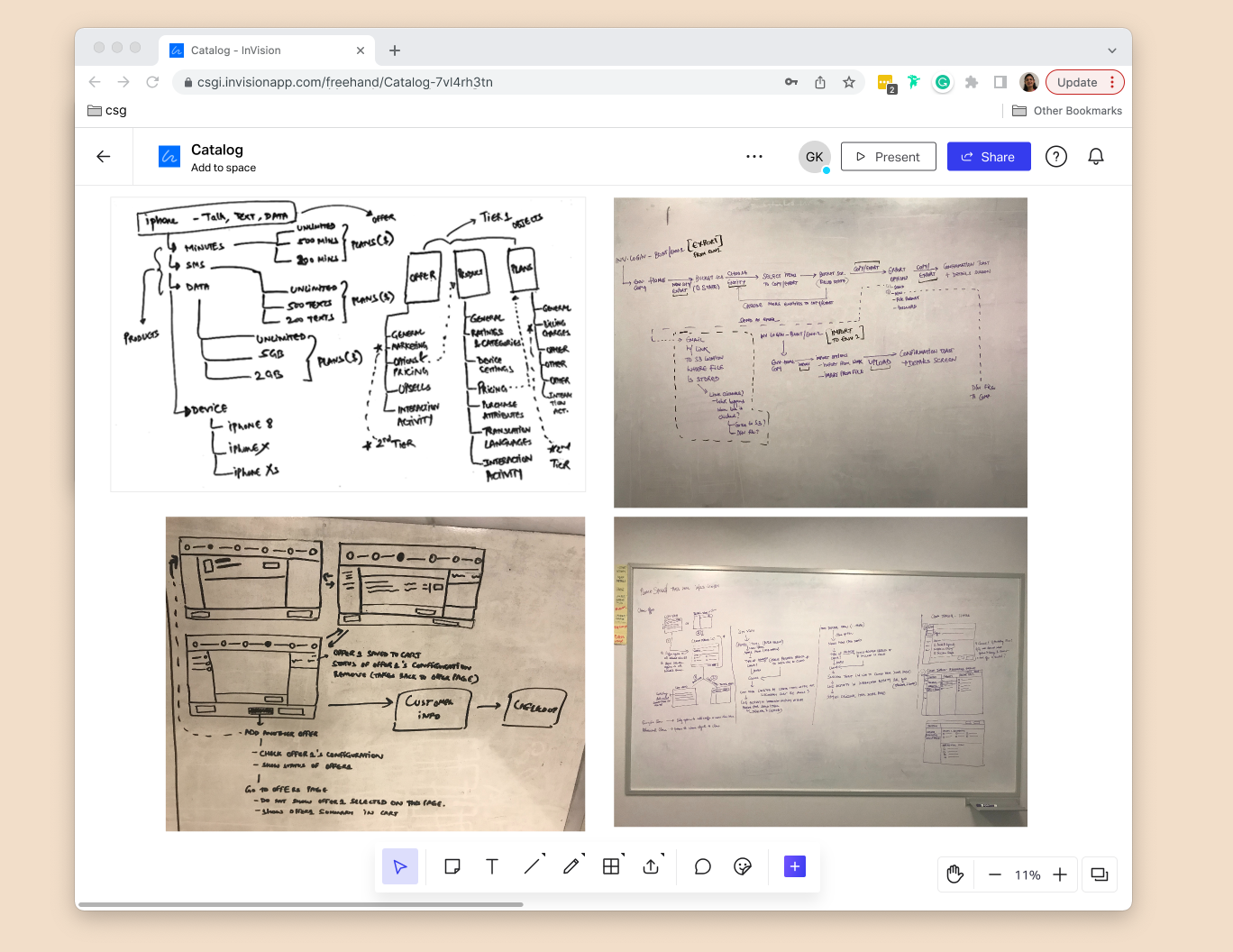
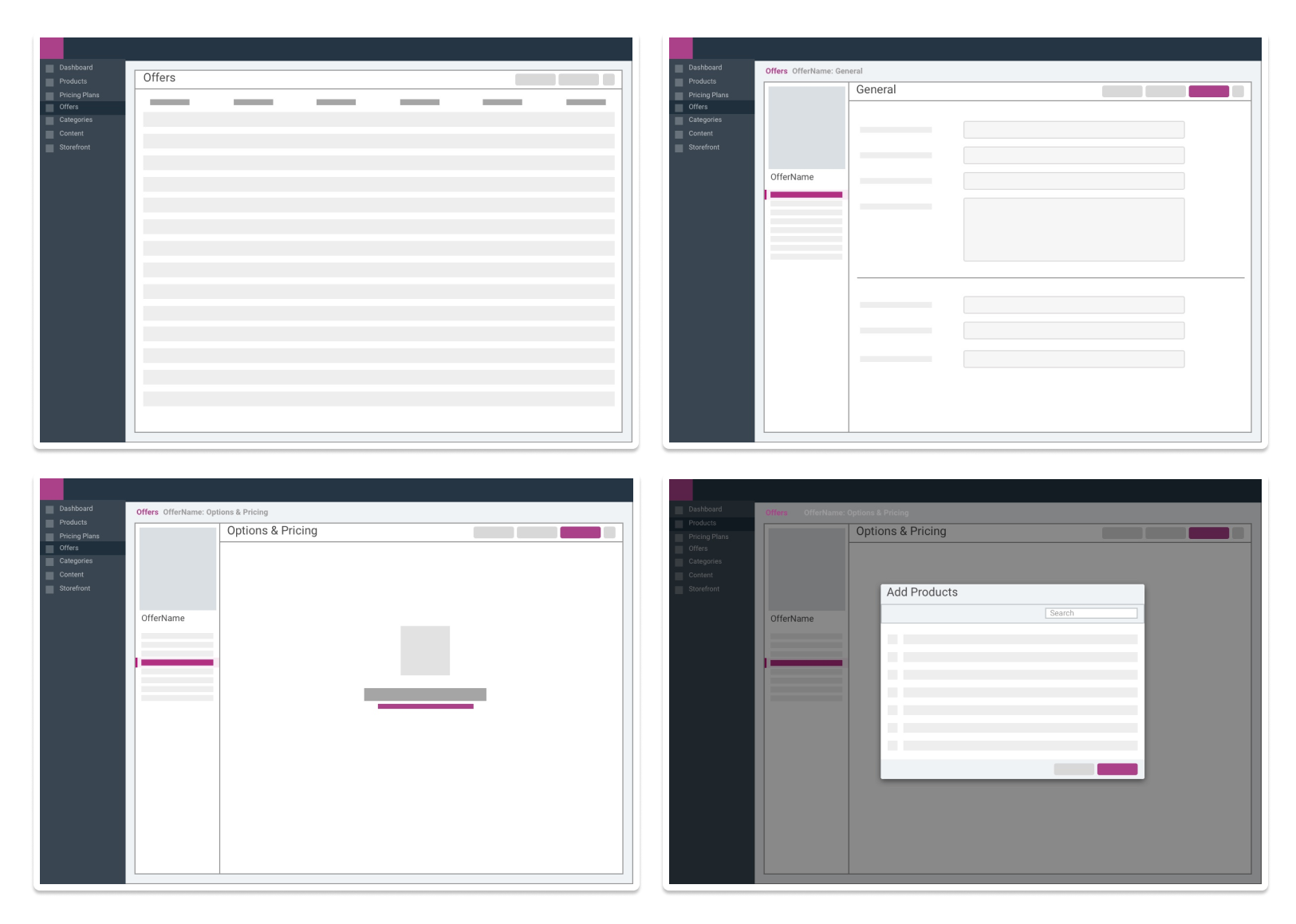
I presented the direction in our weekly product-and-engineering touchpoint, folded in the feedback, and moved to high fidelity.
Final Designs - Studio
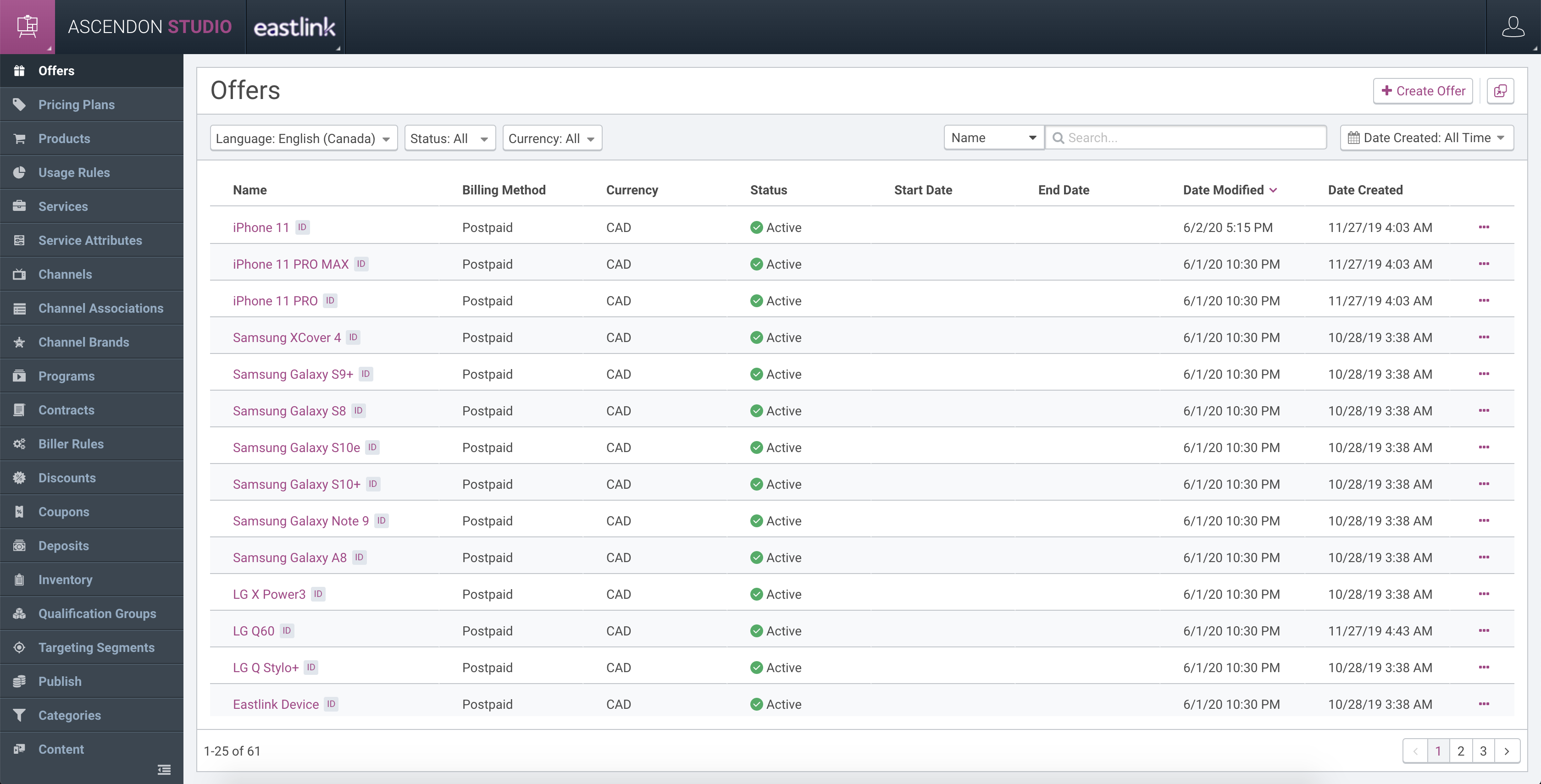
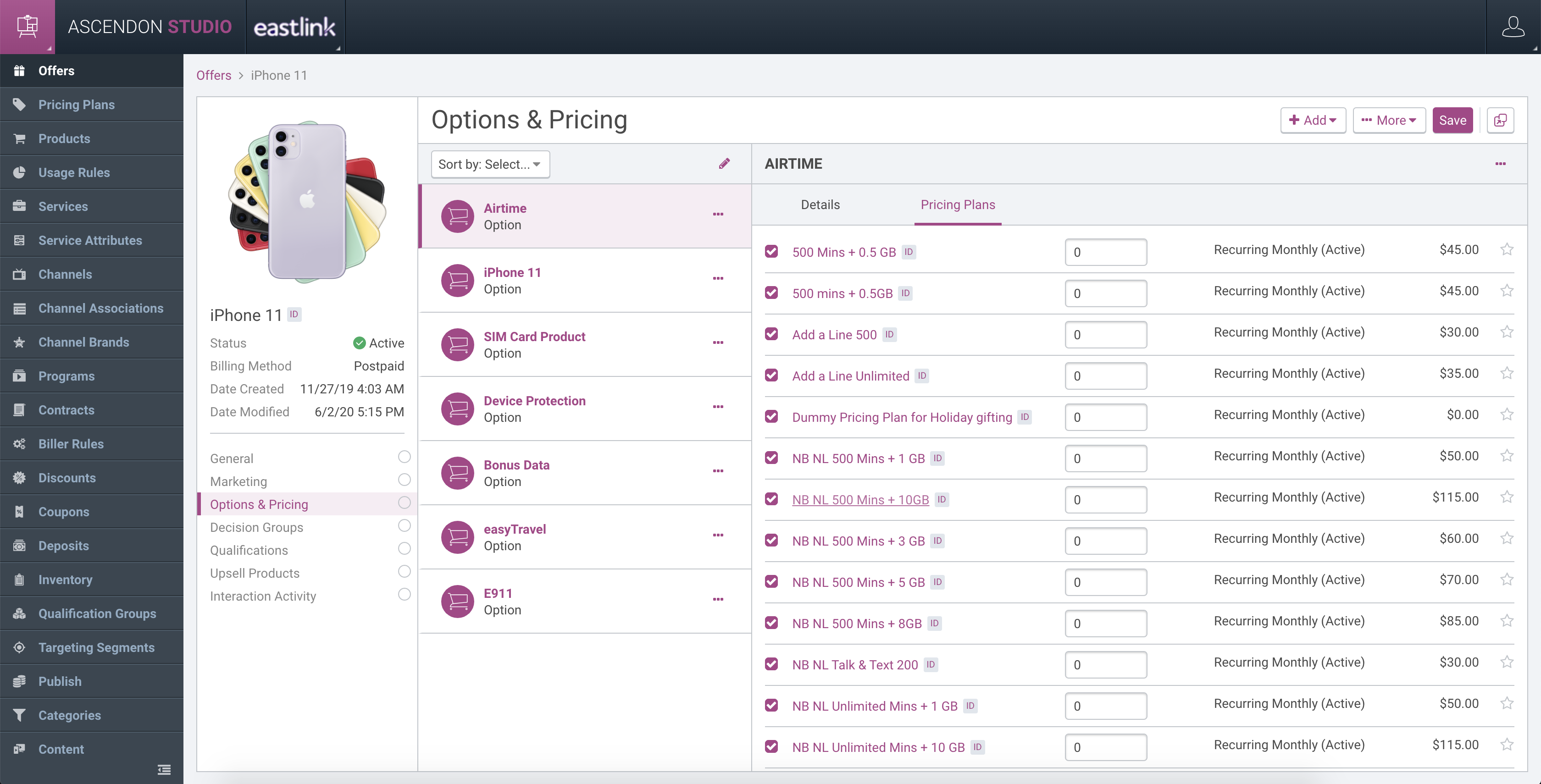
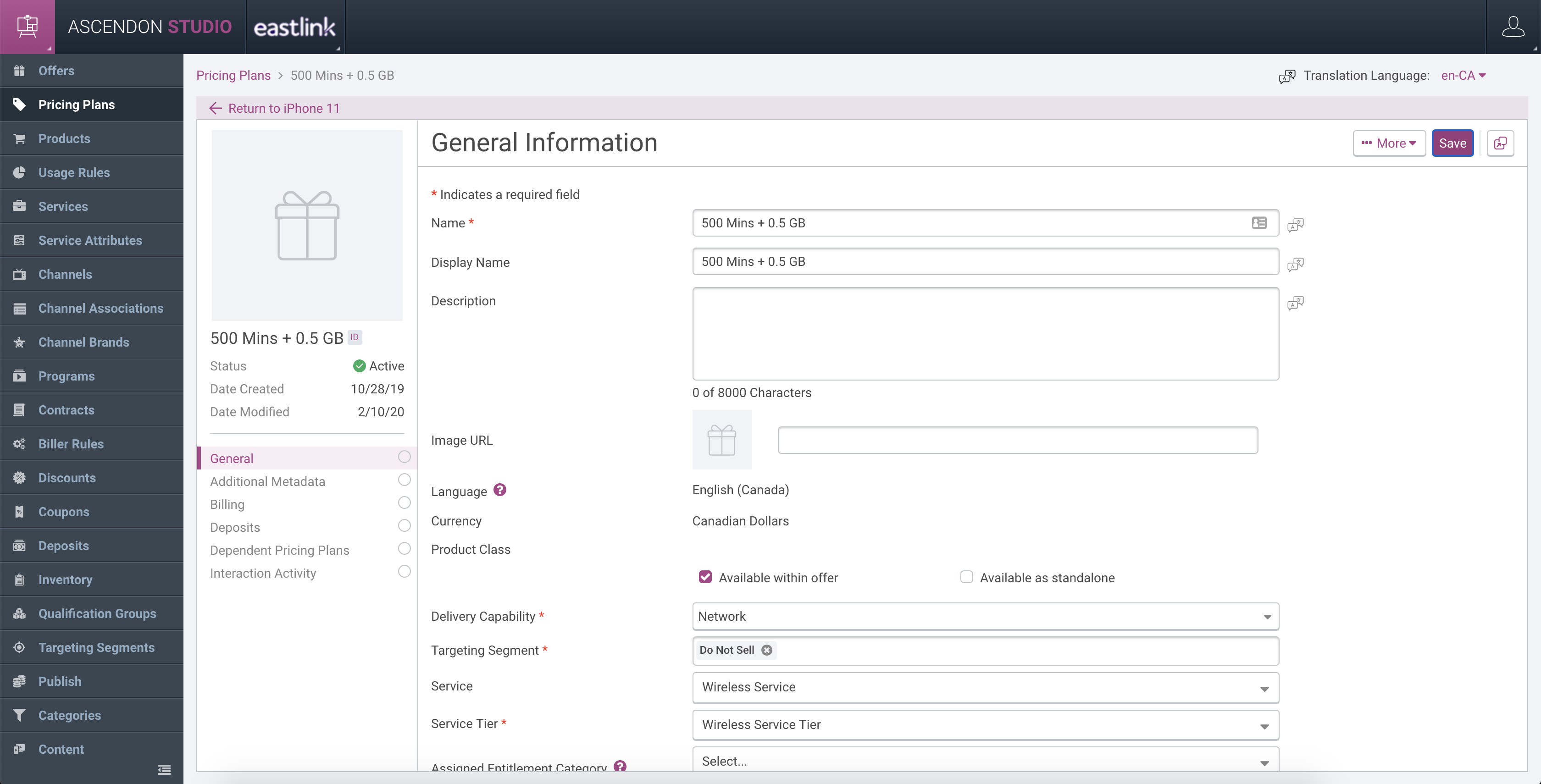
The breadcrumb and consistent structure directly answered the “I’m lost” problem: users could move through the dependency chain of an offer without losing their place.
Part 2 — Customer Care: designing for people who'd already built their own tools
In my second year I moved primarily to Customer Care, and pushed to ground it in real research rather than assumptions.
Contextual inquiry, on-site
Our UX Lead and I spent two days at a customer site (Eastlink) — a day and a half in the customer-care center and a half-day in the retail store where many care-initiated orders were completed.
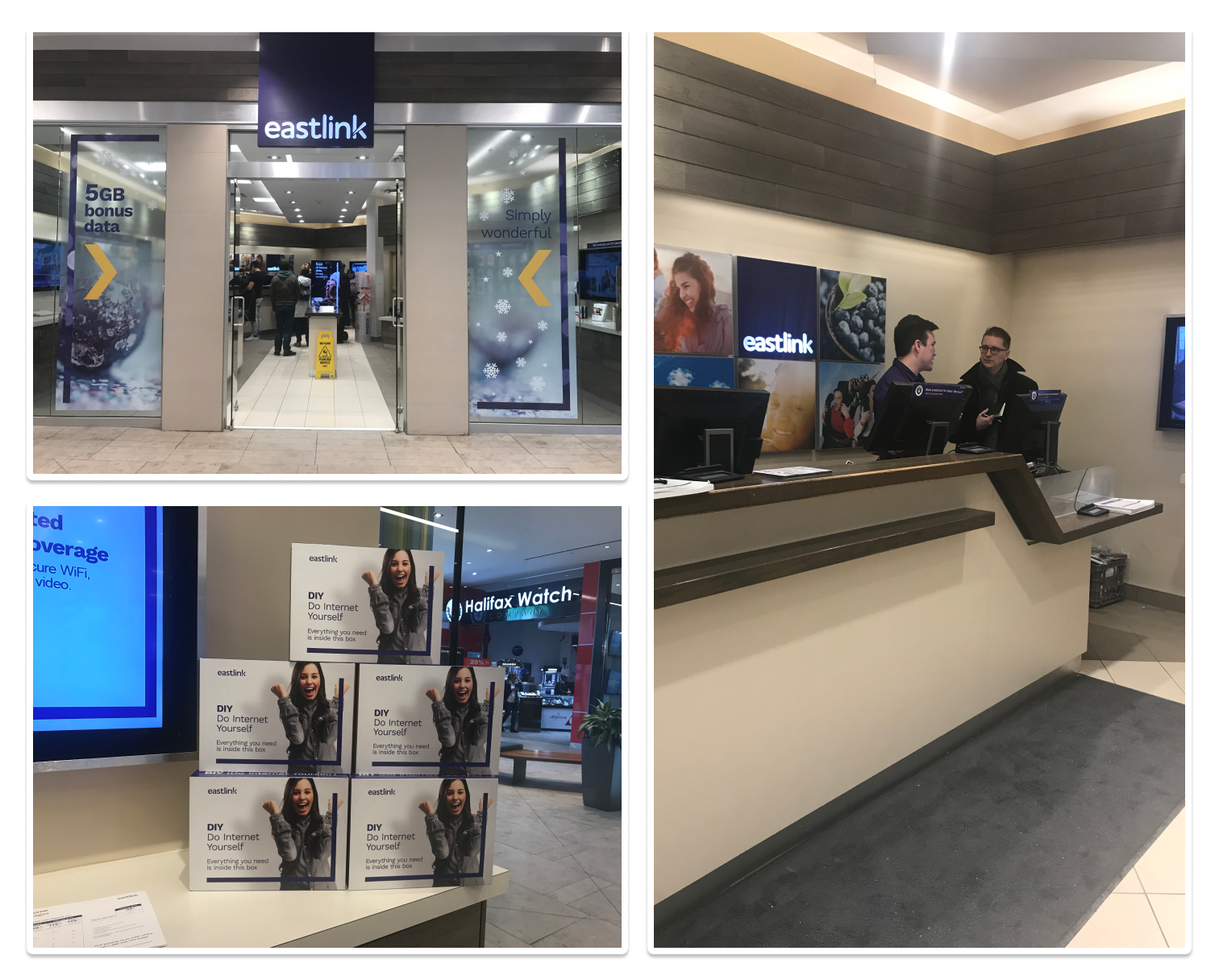
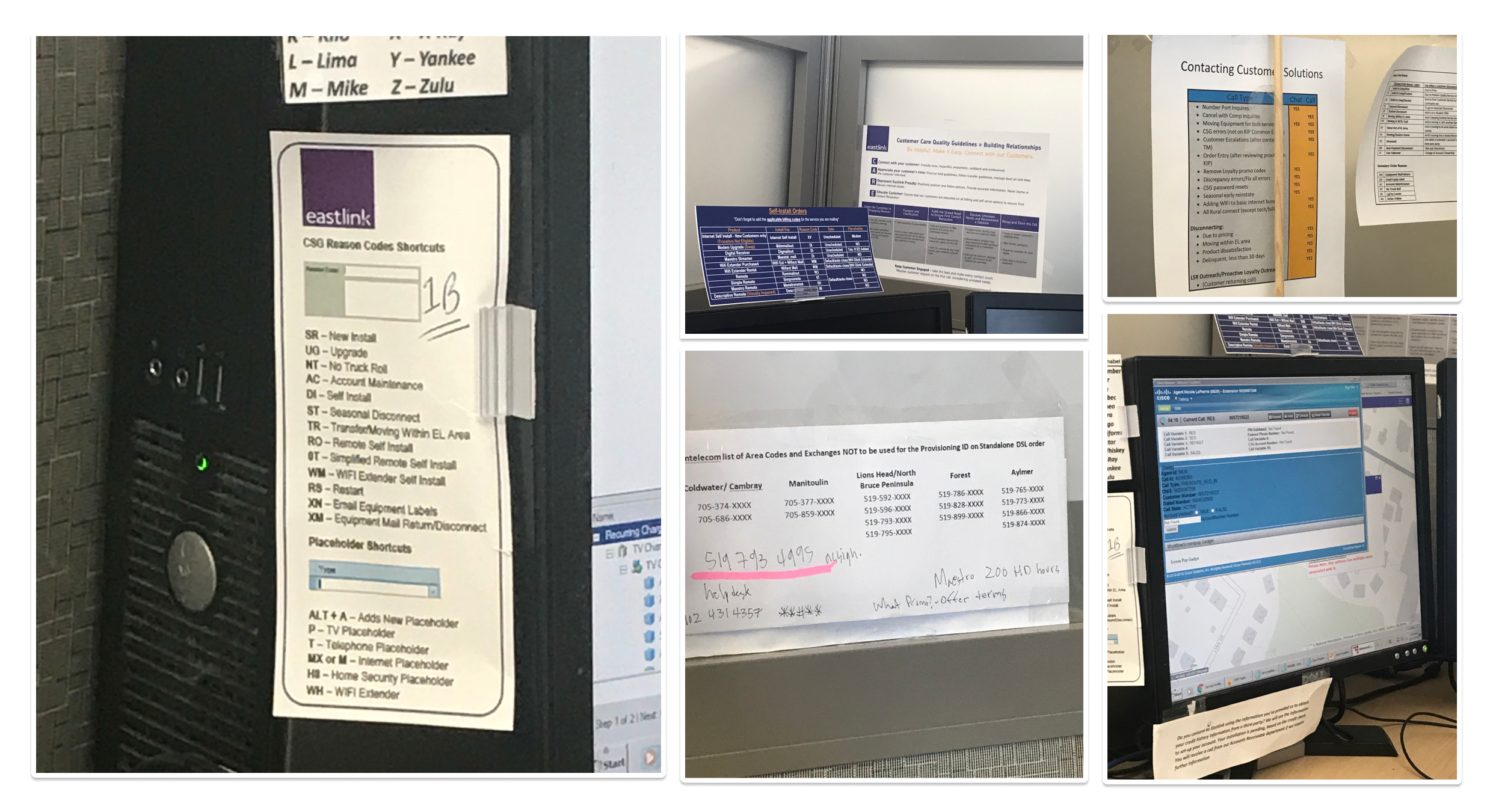
The most telling observations were physical: CSRs had built their own toolkit. Printed code sheets pinned to monitors, cheat-sheets tucked around the cubicle, personal shortcuts layered on top of the software. One estimate was that only a small part of a CSR’s job is formally trained — the rest is learned on the floor.
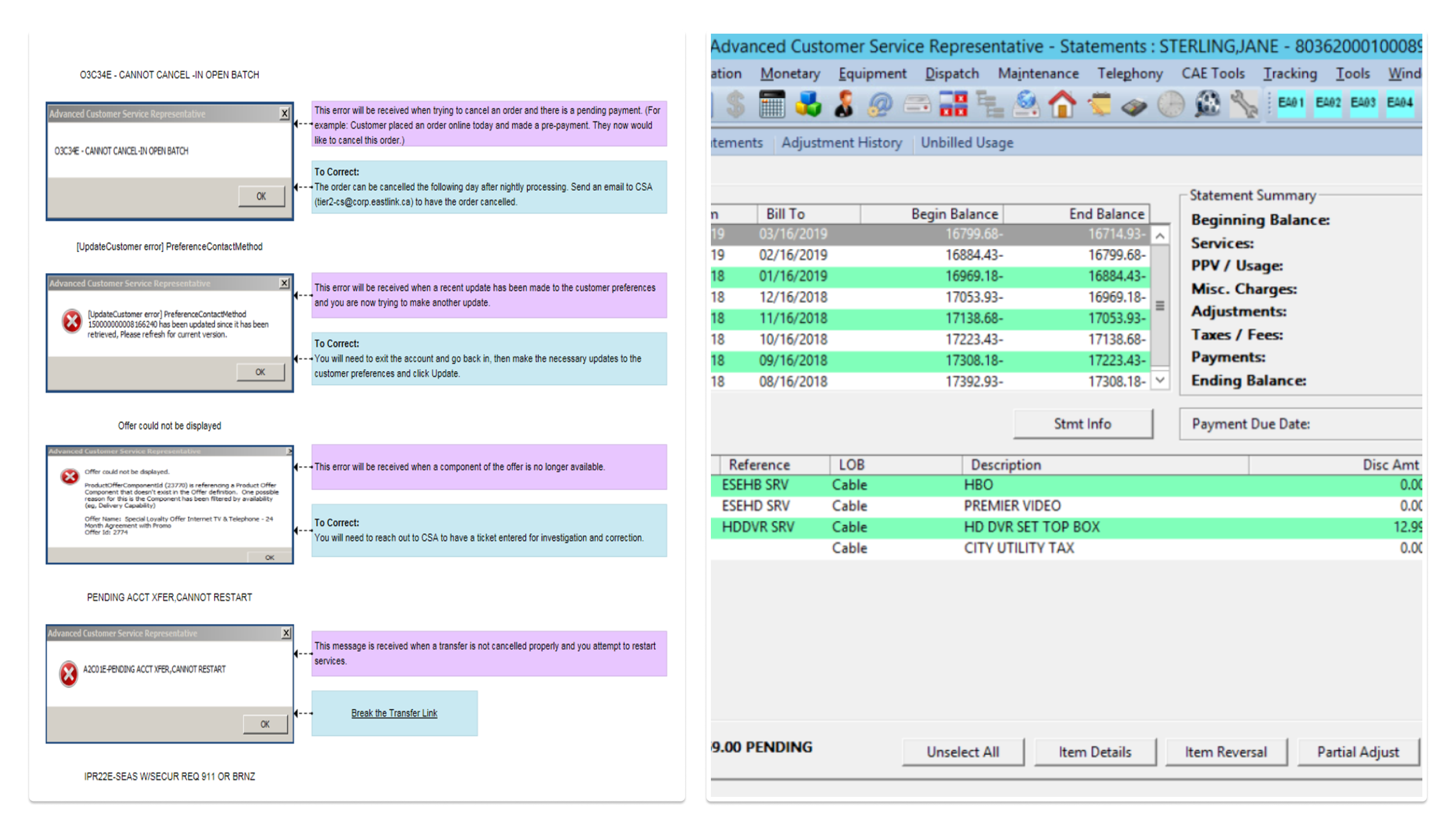
That raised the questions that drove the redesign: What product deficiencies were painful enough to require a workaround? And do those workarounds actually work — or do they create more work?
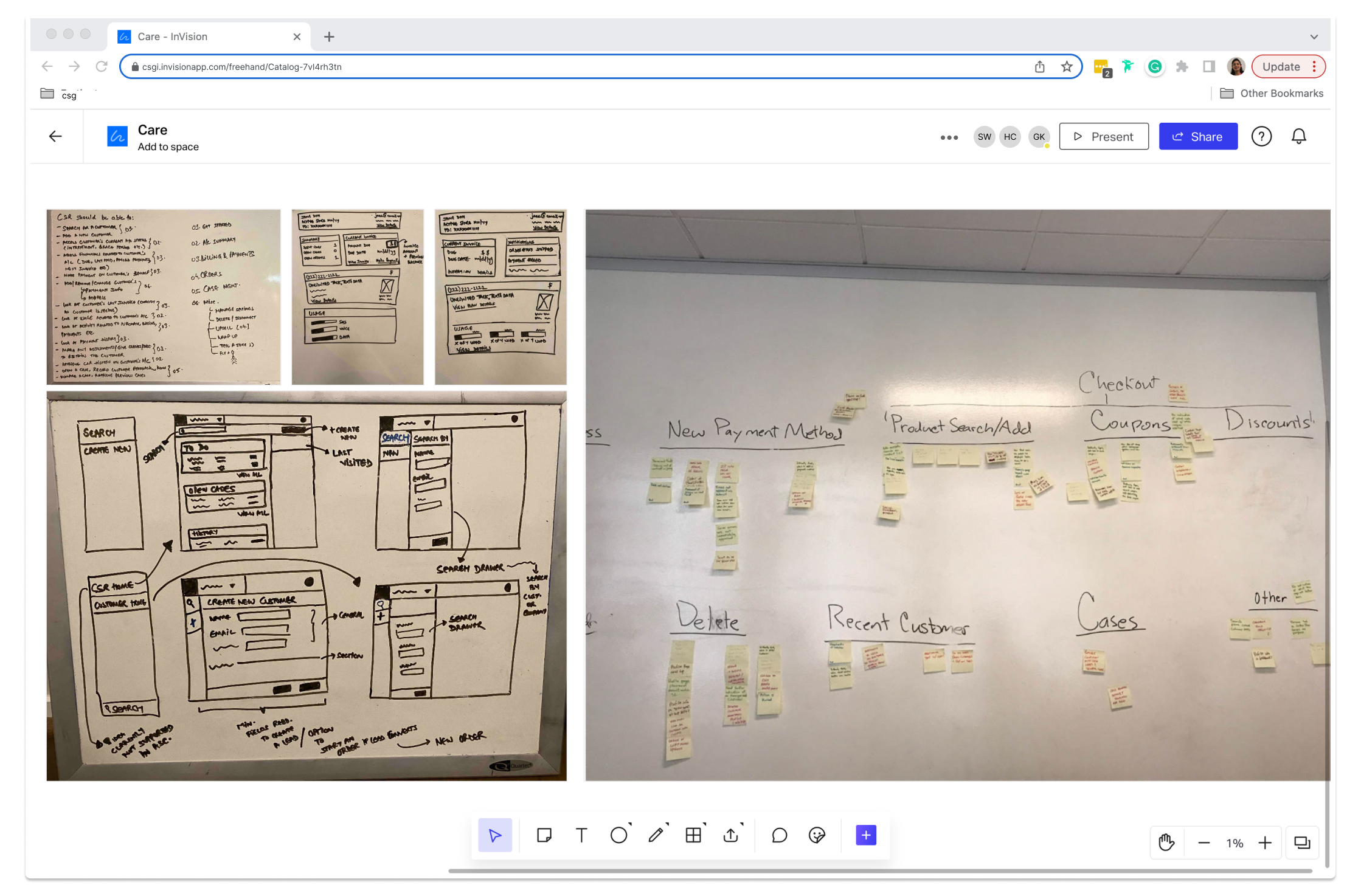
The visit also let us influence roadmap items beyond our immediate scope — primary navigation and the customer dashboard — grounded in what we’d seen rather than what we’d assumed. Throughout, I worked closely with the solution and development teams so the directions we explored stayed within what existing APIs could support.
The key insight: put the same bill in front of both people
The top reason a customer calls is to dispute or understand their bill — and usually it’s a misunderstanding caused by unclear communication, not an actual billing error.
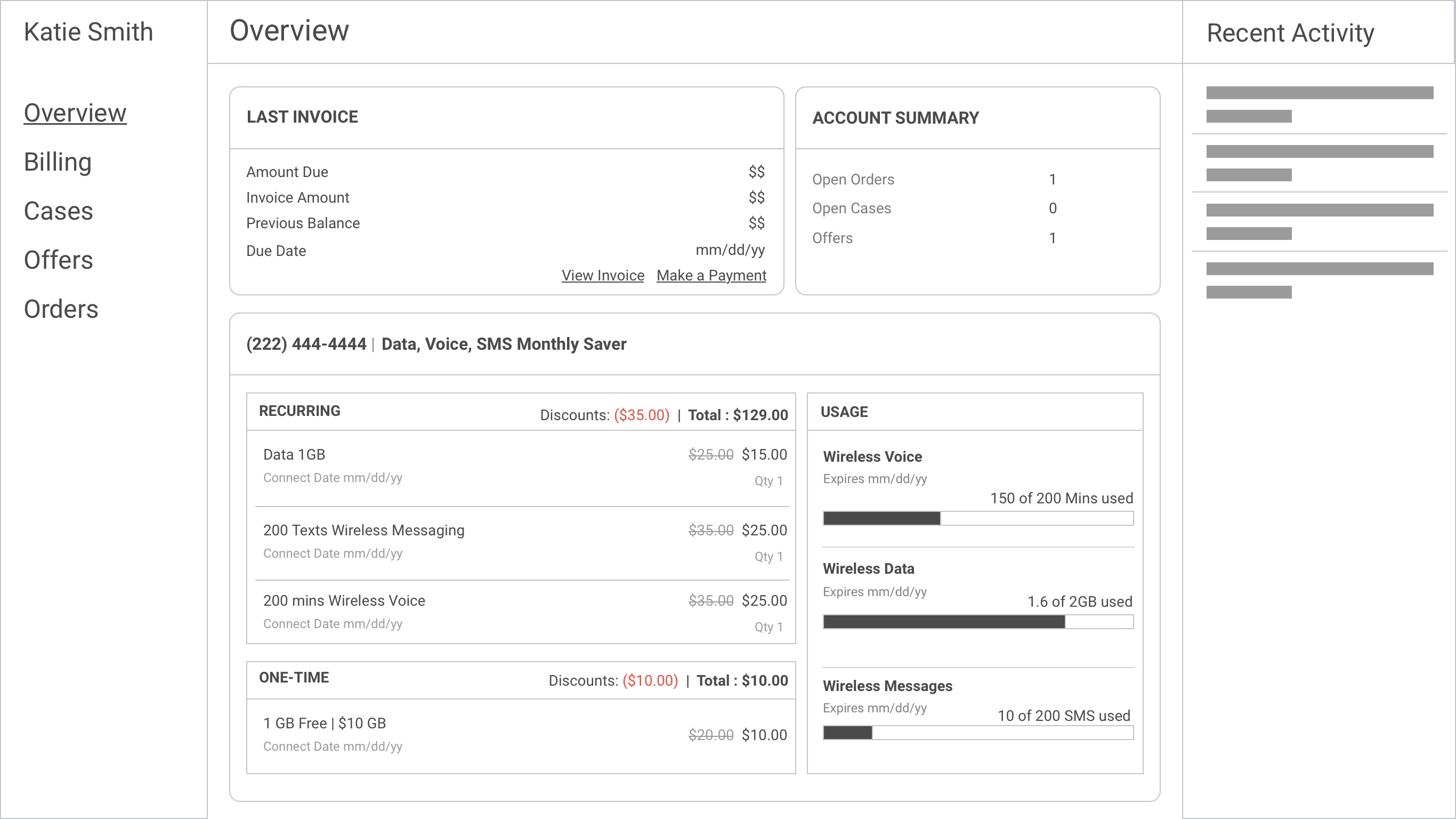
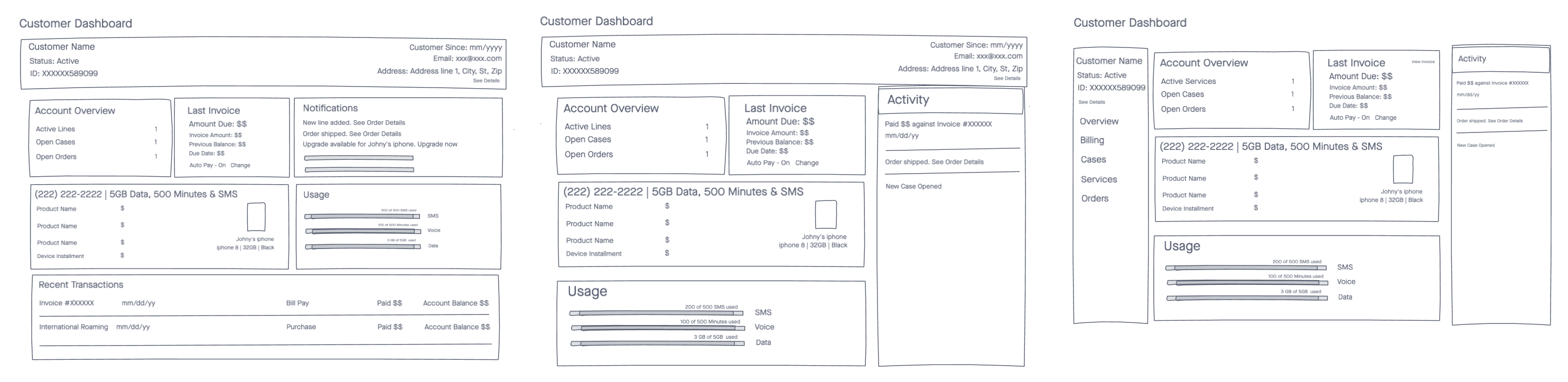
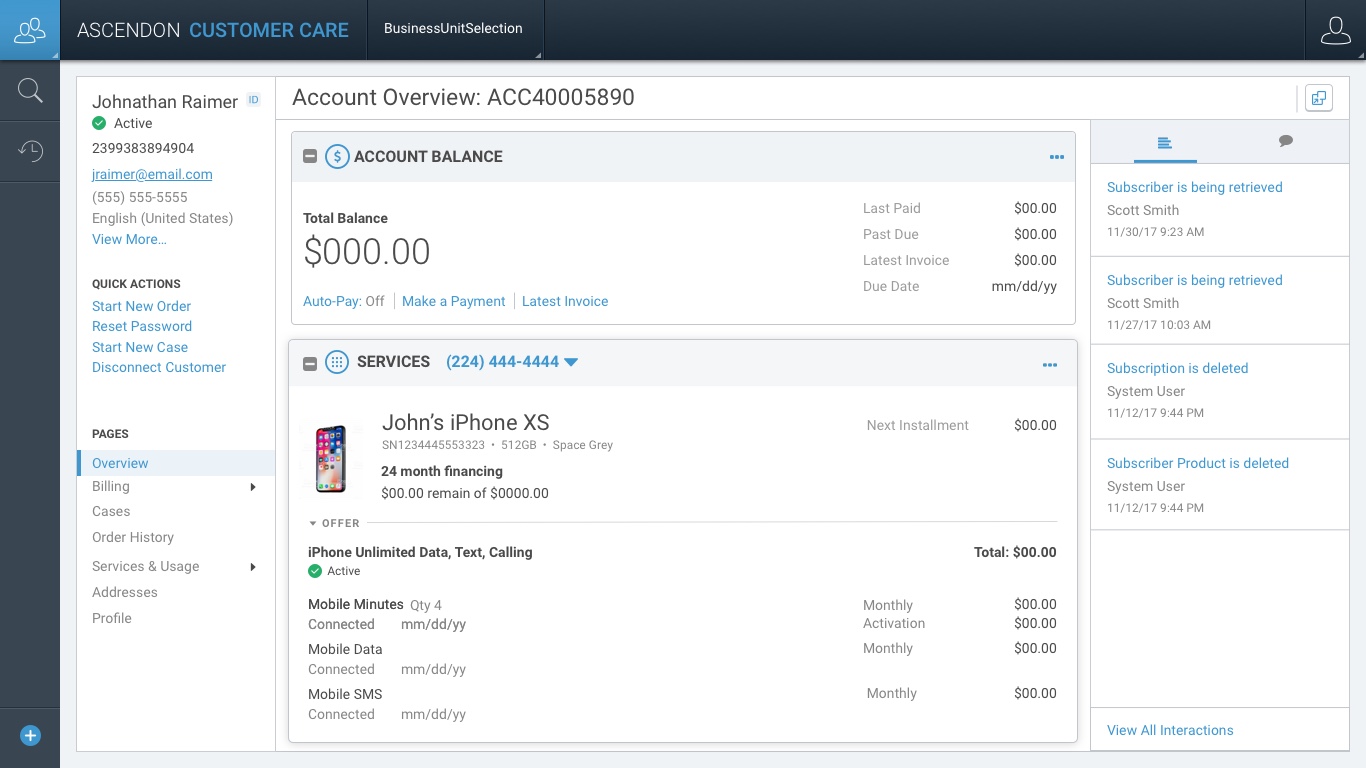
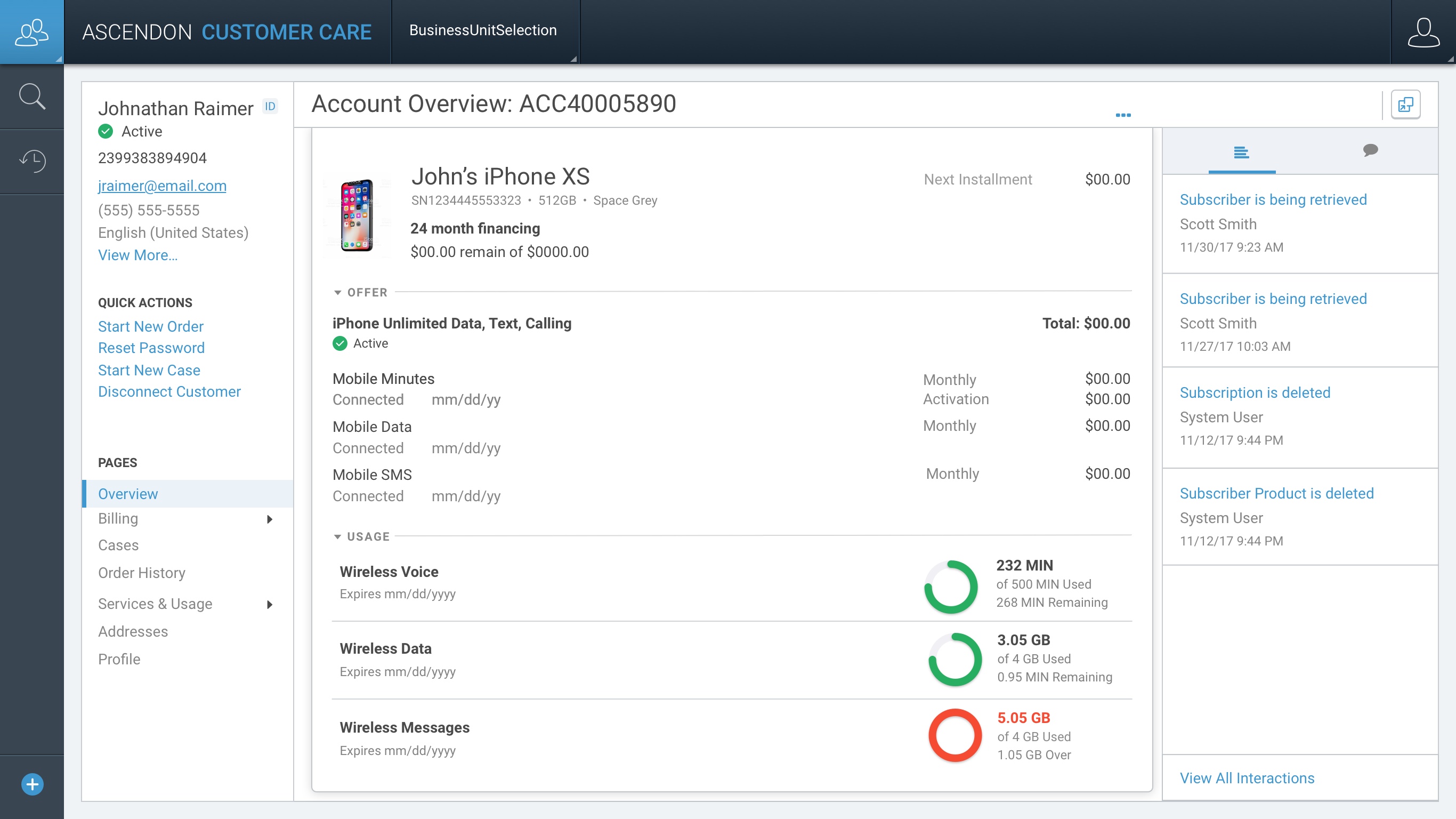
So the dashboard I designed puts the same invoice the customer is looking at directly in front of the CSR. Instead of translating between two different views, the CSR walks the customer through their bill line by line, explaining exactly what they were charged and why. It turns a defensive conversation into a shared one — solving an empathy problem, not just a data-access problem.
I paired that with a few decisions aimed squarely at the behaviors we’d watched on-site:
- A secondary persistent navigation so CSRs always know where they are in the system.
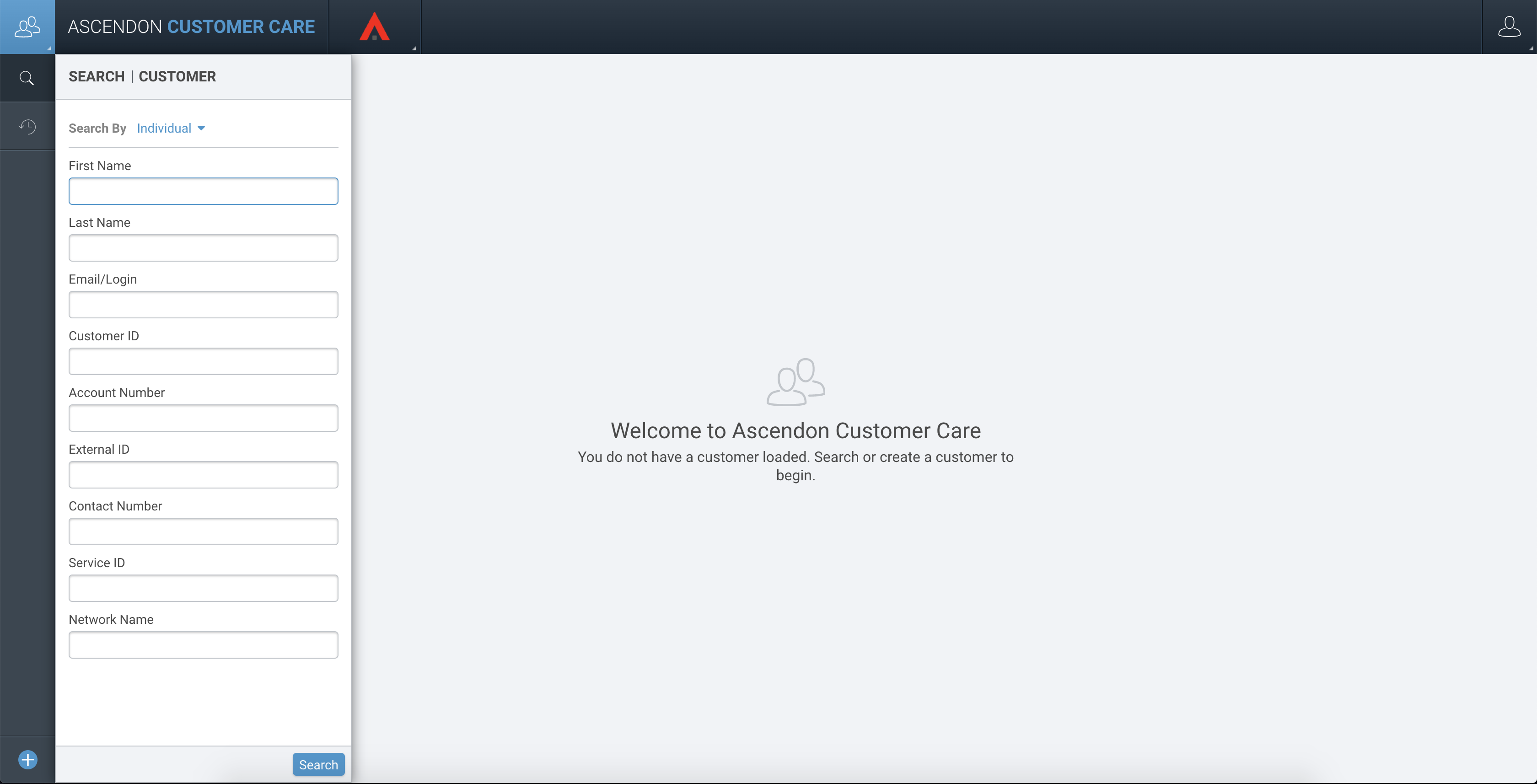
- The top five most frequently asked questions surfaced on the first screen a CSR sees when pulling up an account.
- Frequently used actions, customer profile, and recent-activity history brought into reach — folding the cheat-sheet behaviors back into the product itself.
Validating it
I ran think-aloud usability sessions with CSRs to test the layout, language, and organization of the new dashboard, then overlaid their feedback to drive revisions before high fidelity.
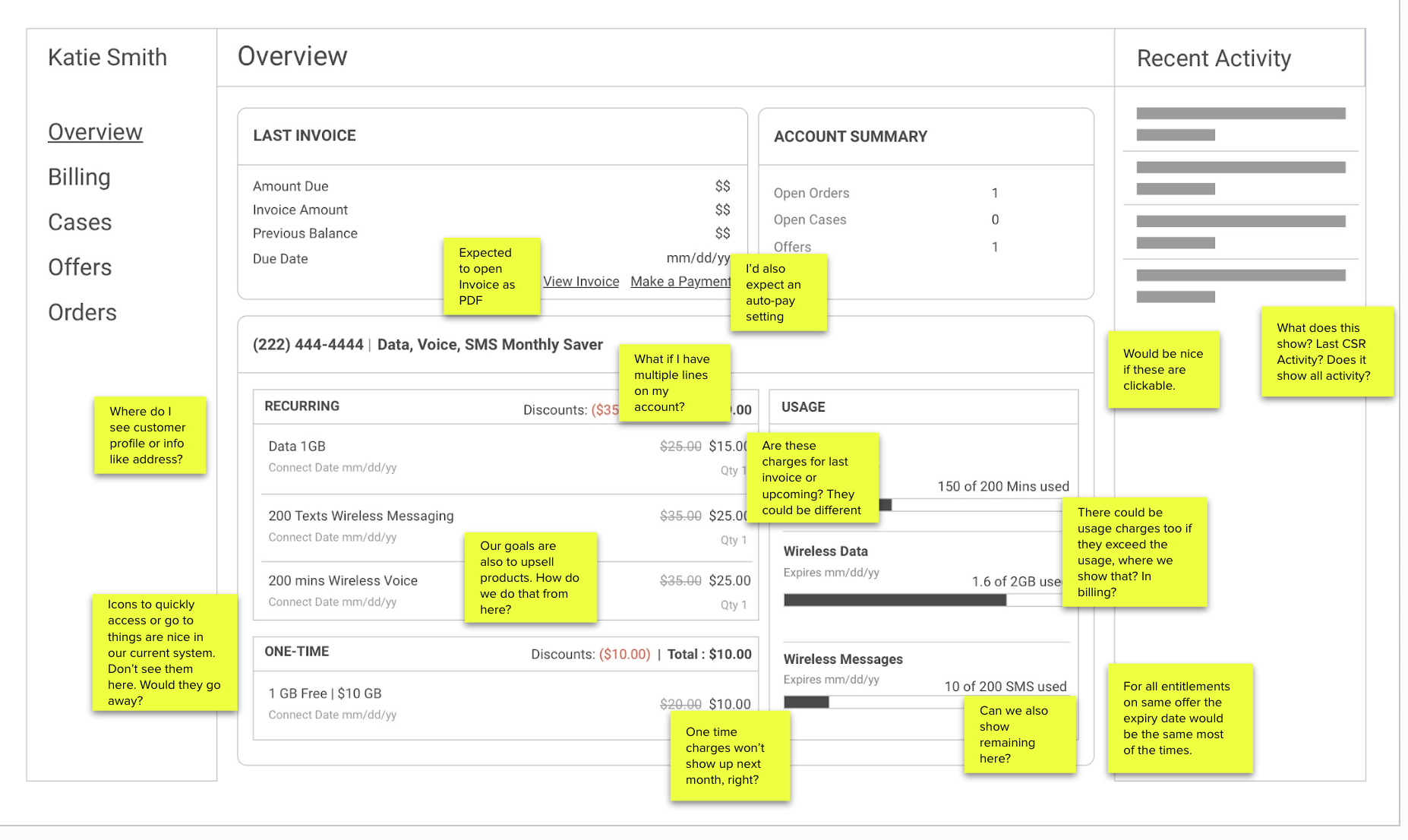
Final Designs - Customer Care
Outcomes
- Both the Studio (catalog) and Customer Care modules were ported to Ascendon at 100% functional parity — clearing two of the most interdependent areas blocking CSG’s migration off legacy and into SaaS.
- The redesigns didn’t just replicate legacy capability. They reduced the “I’m lost” problem through consistent structure, breadcrumbs, and persistent navigation, and designed CSRs’ workarounds back into the product so the cheat-sheets taped to a monitor finally had a home inside the software.
- The same-bill dashboard gave CSRs and customers a shared source of truth, turning bill disputes into guided walk-throughs.
Reflection
The lesson I carried out of Ascendon: in enterprise tools, the workarounds are the research. The cheat-sheets taped to a CSR’s monitor told us more about what the product was missing than any survey could — and the most valuable thing we could do wasn’t to design something clever, but to make the system finally do the job people had been quietly compensating for.